22
/ CONNECTING YOUR
VERIZON WIFI EXTENDER
©2023 Verizon. All Rights Reserved
./ MAIN SCREEN
2.1a/ Login Primary Option
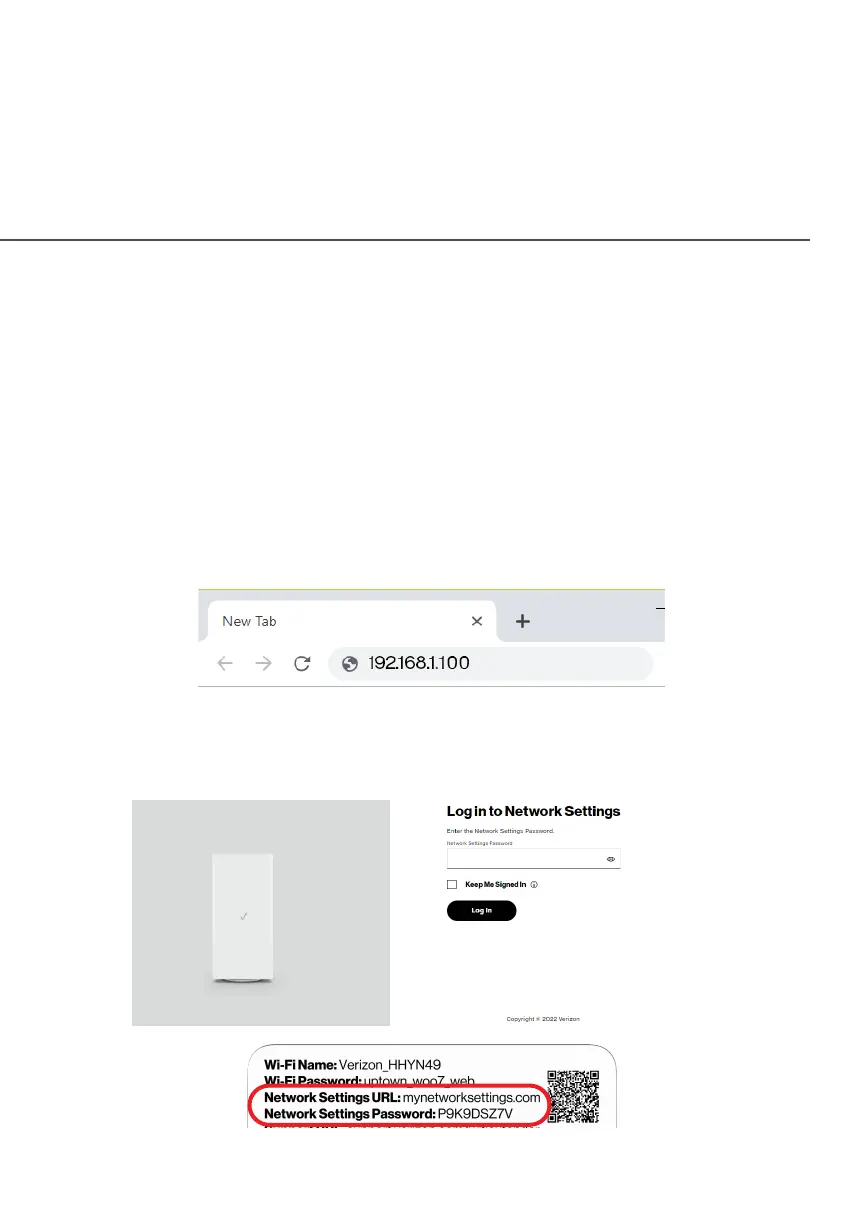
1. Open a web browser on the device connected to your
Verizon Wi-Fi Extender network.
2. In the browser address field (URL), enter the Extender’s IP
address found in the UI of the Verizon Router, then press the
EnterEnter key on your keyboard.
Note: The IP address of the Verizon Wi-Fi Extender was assigned by
the Verizon Router if the Extender connects to the Router.
3. Enter the password that is printed next to the Network Network
Settings PasswordSettings Password on the label on the rear of your
Verizon Wi-Fi Extender.



 To Next Page