NETWORK SETTINGS
8.2h/ PORT CONFIGURATION
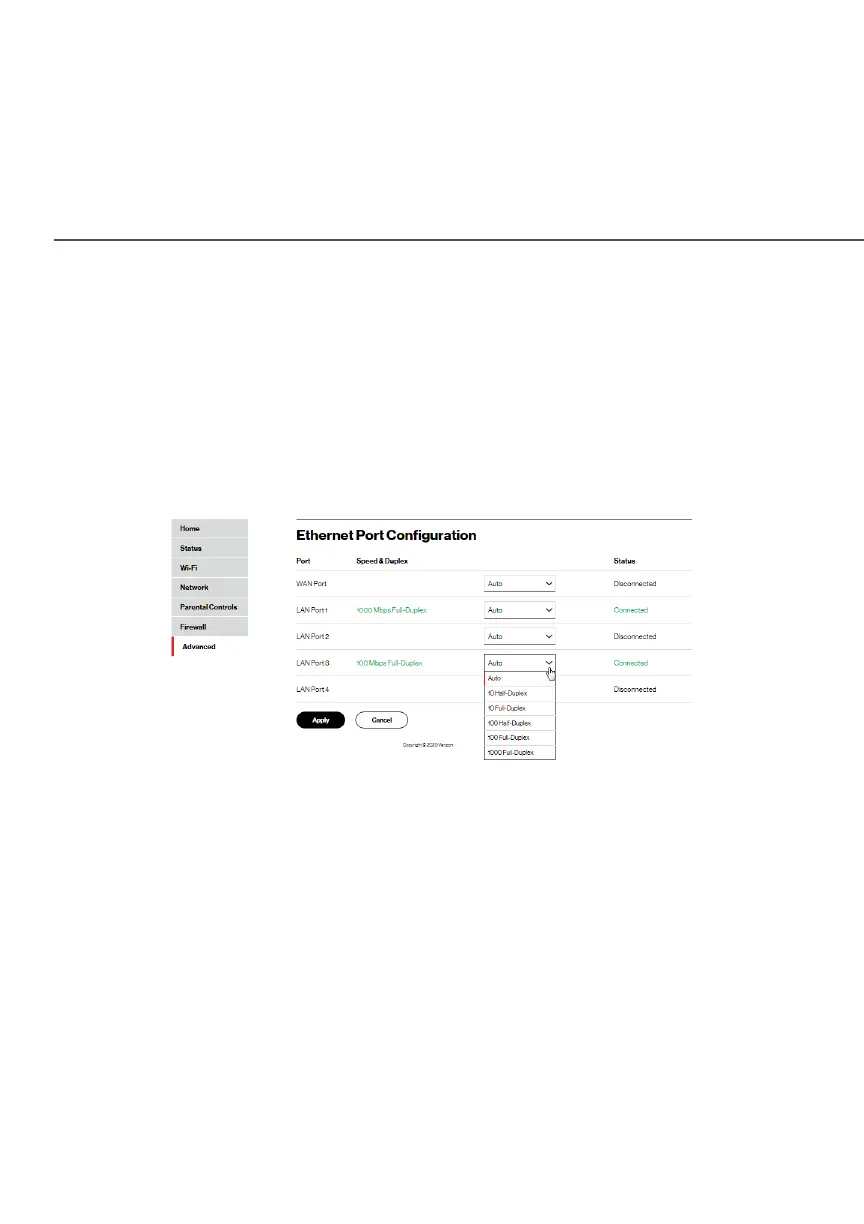
Ethernet port configuration allows you to set up the Ethernet ports
as either full- or half-duplex ports, at either 10 Mbps, 100 Mbps, or
1000 Mbps.
To configure the ports:
1. Select Port ConfigurationPort Configuration in the Network SettingsNetwork Settings section.
2. To emulate the speed and duplex configuration of the port
with which it’s communicating, select AutoAuto or select the port
speed and duplicity.
3. Click ApplyApply to save changes.




















 To Next Page