70
/ USING NETWORK
CONNECTIONS
verizon.com/business/products/fios-internet | ©2020 Verizon. All Rights Reserved
./ ETHERNET CONNECTION
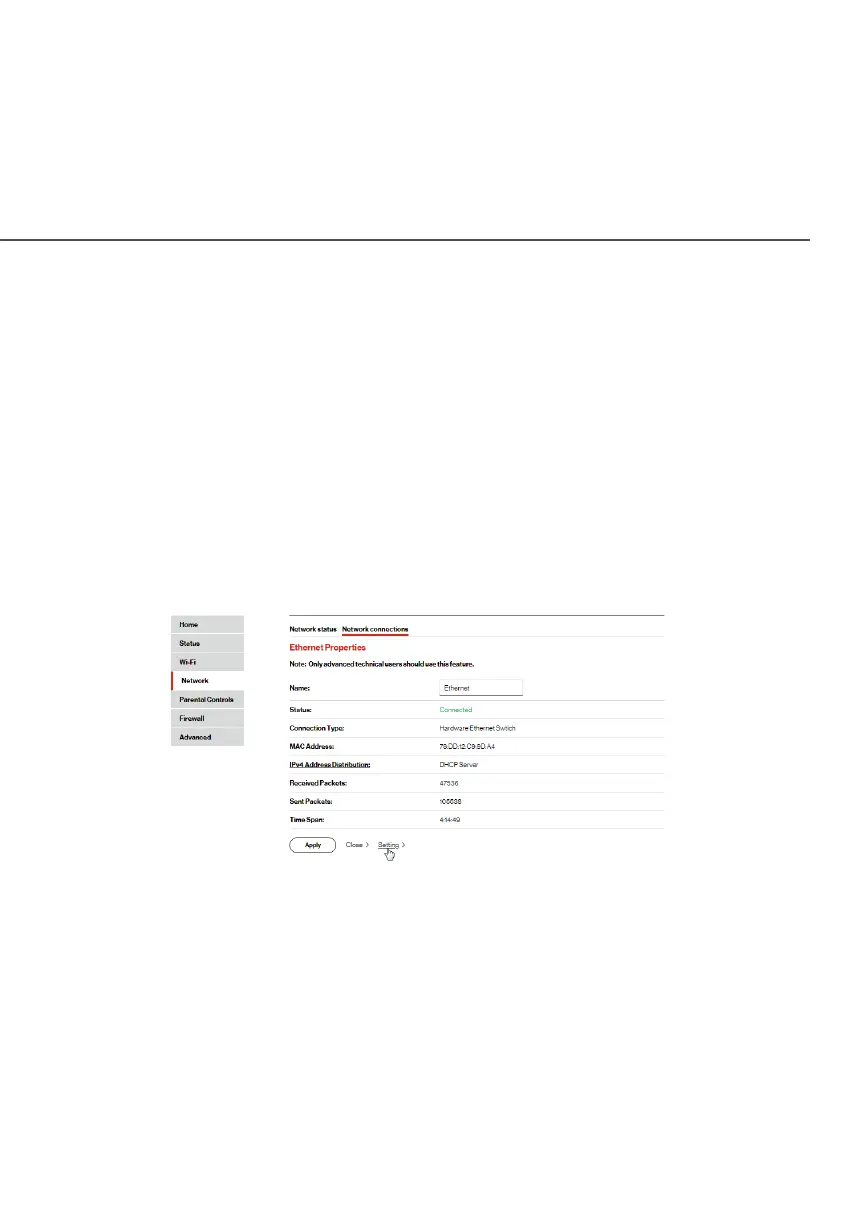
You can view the properties of your Ethernet LAN connection using
an Ethernet cable inserted into one of your Fios Router’s Ethernet
LAN ports.
To view the connection settings:
1. In the Network ConnectionsNetwork Connections page, click the Network(Home/Network(Home/
Oce)Oce) connection link.
2. Next, to access the Ethernet PropertiesEthernet Properties page, click the
EthernetEthernet link listed under the Underlying DeviceUnderlying Device section.
3. To rename the network connection, enter the new name in
the
NameName field.
4. Click ApplyApply to save changes.




















 To Next Page