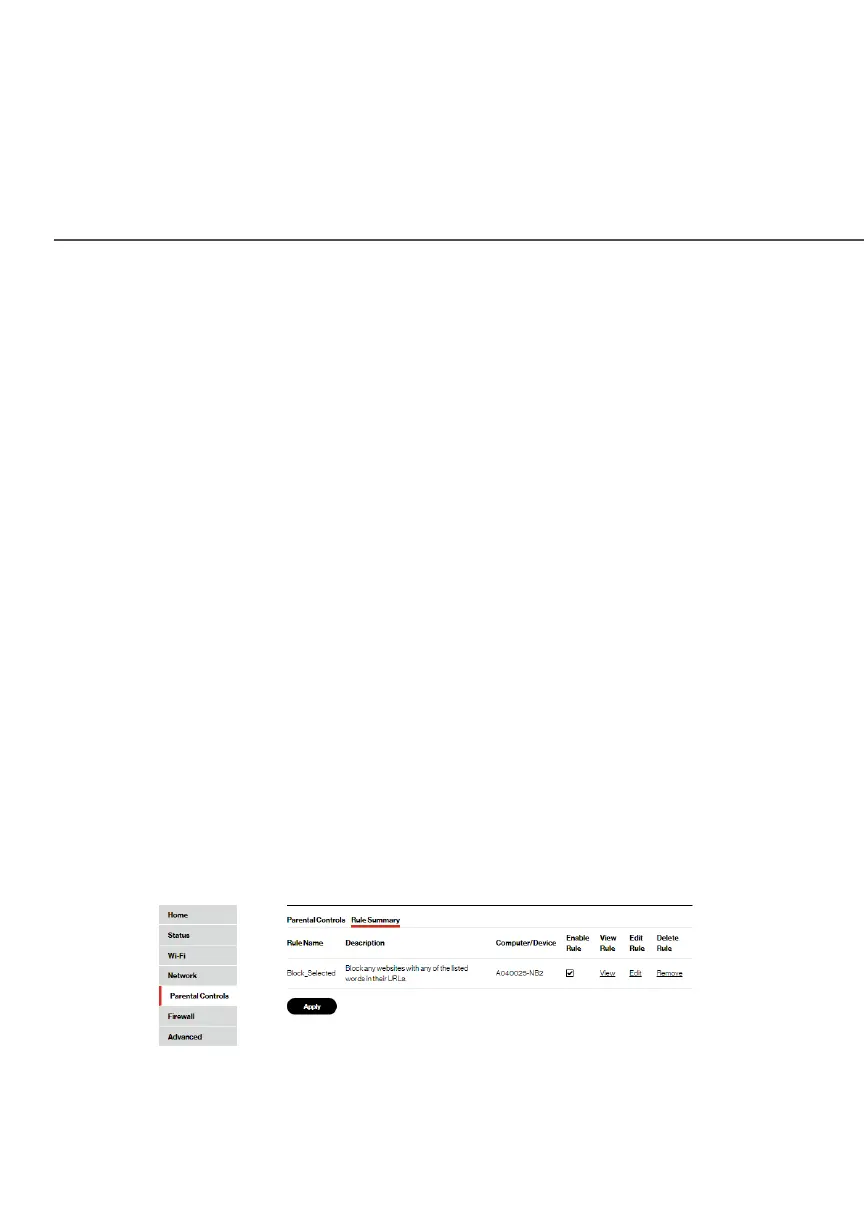
RULE SUMMARY
6. To remove a website or keyword, select the word, then click
RemoveRemove.
7. Create a schedule by selecting the days of the week when
the rule will be active or inactive.
8. Set the time when the rule will be active or inactive, then
specify the start time and end time.
9. Create a rule name and description.
10. Click ApplyApply to save changes.
NEW! The Verizon My FiosVerizon My Fios app provides robust security to protect
your oce network. Click the Click hereClick here link to download the My
Fios app for using the My Fios app on the iOS or Android OS.
./ RULE SUMMARY
You can view the rules created for your Fios Router.
To view the rule summary, select Rule SummaryRule Summary. The Rule
Summary page opens with the rule name, description, and
computer or device displayed.
You can enable, view, edit, or delete the rule; refer to Scheduler
Rules for additional setting details.




















 To Next Page