DATE AND TIME
8.3a/ DATE AND TIME SETTINGS
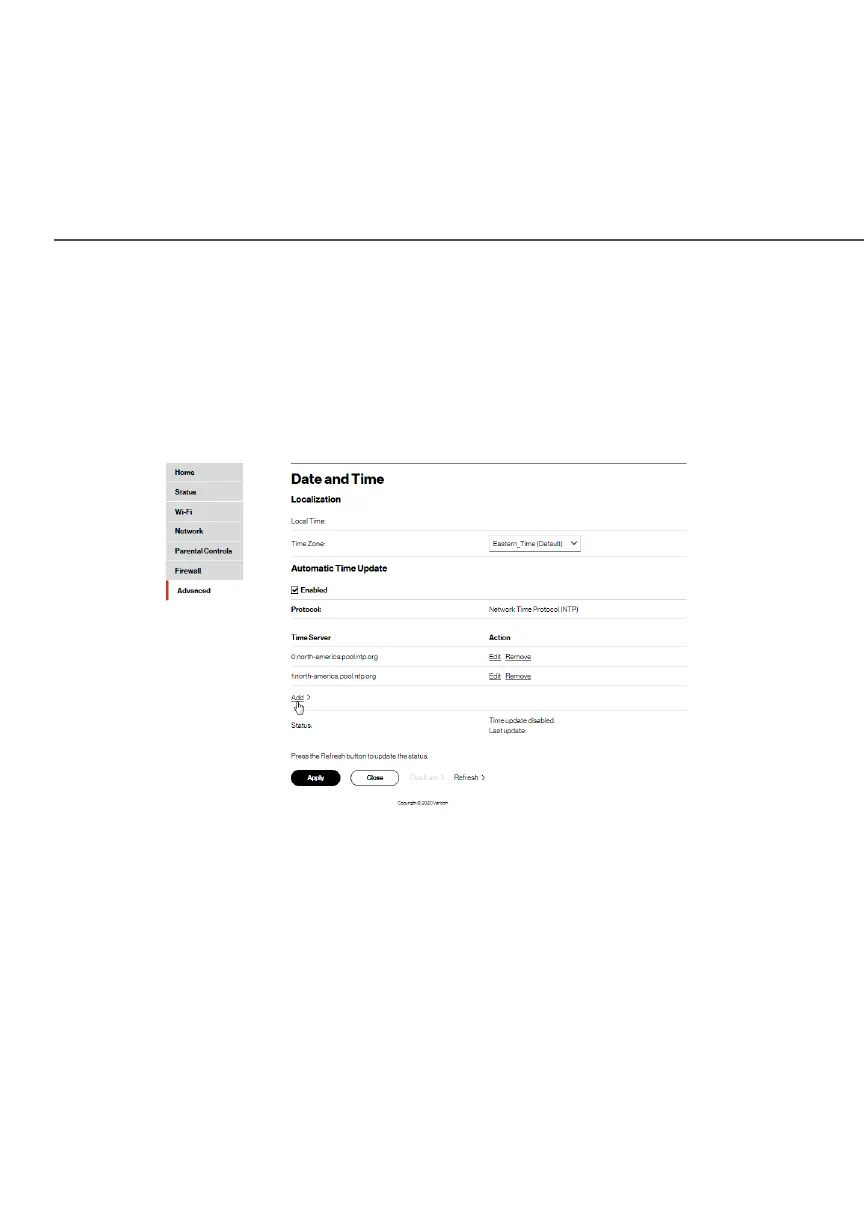
You can set the time zone and enable automatic time updates.
To configure the settings:
1. Select Date and TimeDate and Time in the Date and TimeDate and Time section.
2. Select the local time zone. Your Fios Router automatically
detects daylight saving times for selected time zone.
3. In the Automatic Time UpdateAutomatic Time Update section, select the EnabledEnabled
checkbox to perform an automatic time update.
4. Define the time server addresses by clicking AddAdd. The Time Time
Server SettingsServer Settings page displays.




















 To Next Page