PORT TRIGGERING
To resolve the conflict, a port triggering entry must be defined,
which allows inbound trac on UDP port 3333 only after a network
host generated trac to UDP port 2222. This results in your Fios
Router accepting the inbound trac from the web server and
sending it back to the network host which originated the outgoing
trac to UDP port 2222.
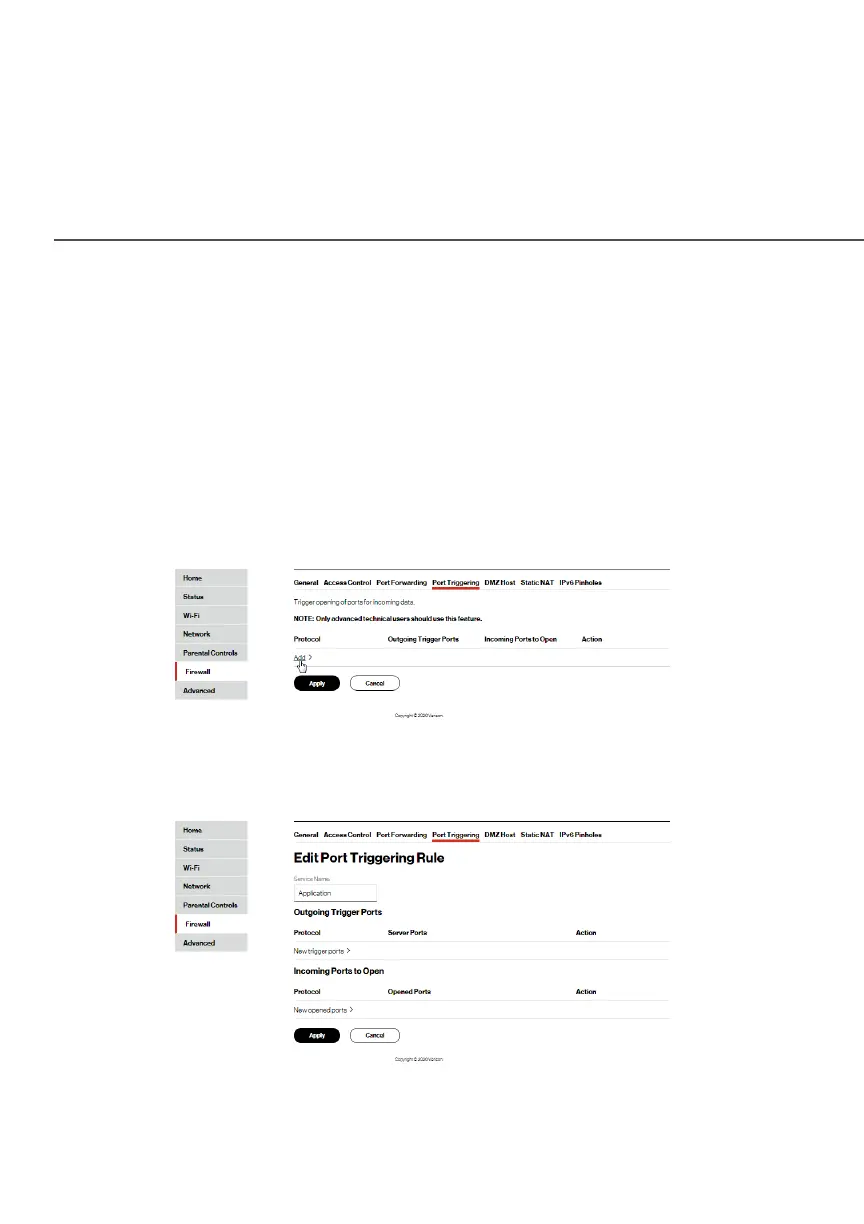
To configure port triggering:
1. Select Port Triggering.
2. To add a service as an active protocol, click AddAdd. The Edit Edit
Port Triggering RulePort Triggering Rule page displays.
3. Enter the service name then configure its inbound and
outbound trigger ports. Click AddAdd to save changes.




















 To Next Page