12
Using the Device for the First Time
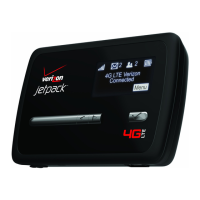
To get started, follow these steps.
➊ Conrm your computer meets the minimum system requirements. See System
Requirements on page 3.
➋ Assemble the wall charger. See Assemble the Wall Charger on page 13.
➌ Install the 4G SIM card. See Install the 4G SIM Card on page 13.
➍ Insert and charge the battery. See Insert and Charge the Battery on page 15.
➎ Turn on the device. See Power the MiFi 4510L Device On and O on page 19.
➏ Connect the device to your computer using Wi-Fi. See Connecting to the MiFi Device on
page 20.
➐ Connect to MiFi Settings. See Connect to MiFi Settings on page 20.


 To Next Page
 Loading...