19
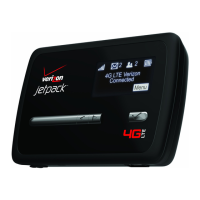
Power the MiFi 4510L Device On and O
Power On
• Press the Power Button until the LED turns on green or violet.
Power Off
• Press and hold the Power Button for 5 seconds until the display turns white and the LED
turns amber.
Activate Your Device
Your SIM card should come pre-activated and ready to connect. Insert the SIM card, power up the
MiFi device, and connect.
If your SIM card did not come pre-activated or you need to re-activate your SIM card, you can:
• go to a Verizon Wireless store
• contact Verizon Wireless Telesales
IMPORTANT The MiFi 4510L device requires an activated account with Verizon Wireless to
function.


 To Next Page
 Loading...