13
Assemble the Wall Charger
The wall charger comes with a removable plug. You need to connect it before using the MiFi device
for the rst time. To assemble the wall charger, follow these steps.
➊ Remove the plug and the wall charger from the package.
➋ Slide the plug on to the wall charger.
Install the 4G SIM Card
To install your new 4G SIM card, follow these steps.
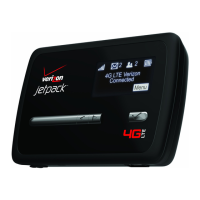
➊ Open the cover located on the underside of the MiFi 4510L device.
➋ Remove SIM card from the outer card, being careful not to touch the gold-colored contacts.
➌ Hold the card so the Verizon logo is facing you and the gold-colored contact points are
facing down.
➍ Insert the SIM card into the slot. The 4G SIM card MUST remain in the SIM card slot when in
use.
Your SIM (Subscriber Identity Module) card is a small rectangular plastic card that stores your phone
number and important information about your wireless service.
CAUTION! Do not bend or scratch your SIM card. Avoid exposing your SIM card to static
electricity, water, or dirt.


 To Next Page
 Loading...