29
Choosing a Prole
Your device comes with the Secure prole already set. The following proles come with your device.
• Secure — This is the prole you should use most of the time. You can set up this prole with
the security measures you need to use your device safely.
• Temporary Hotspot — This prole allows you set up a temporary hotspot to allow others
nearby (maximum of ve) to go online at the same time.
• Open — This prole is not secure and should be avoided.
Setting Up a Temporary Hotspot
You can use the device to set up a temporary hotspot to allow a maximum of ve connections to
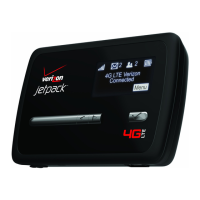
your MiFi 4510L device at one time.
The Temporary Hotspot prole is pre-set on your device. It generates a temporary network name
(SSID) and network key so you can allow others to connect to your device without having to change
your secure prole’s security settings.
]


 To Next Page
 Loading...