TROUBLESHOOTING
5-11
VersaPulse Select Service Manual
0621-499-01 12/95
®
®
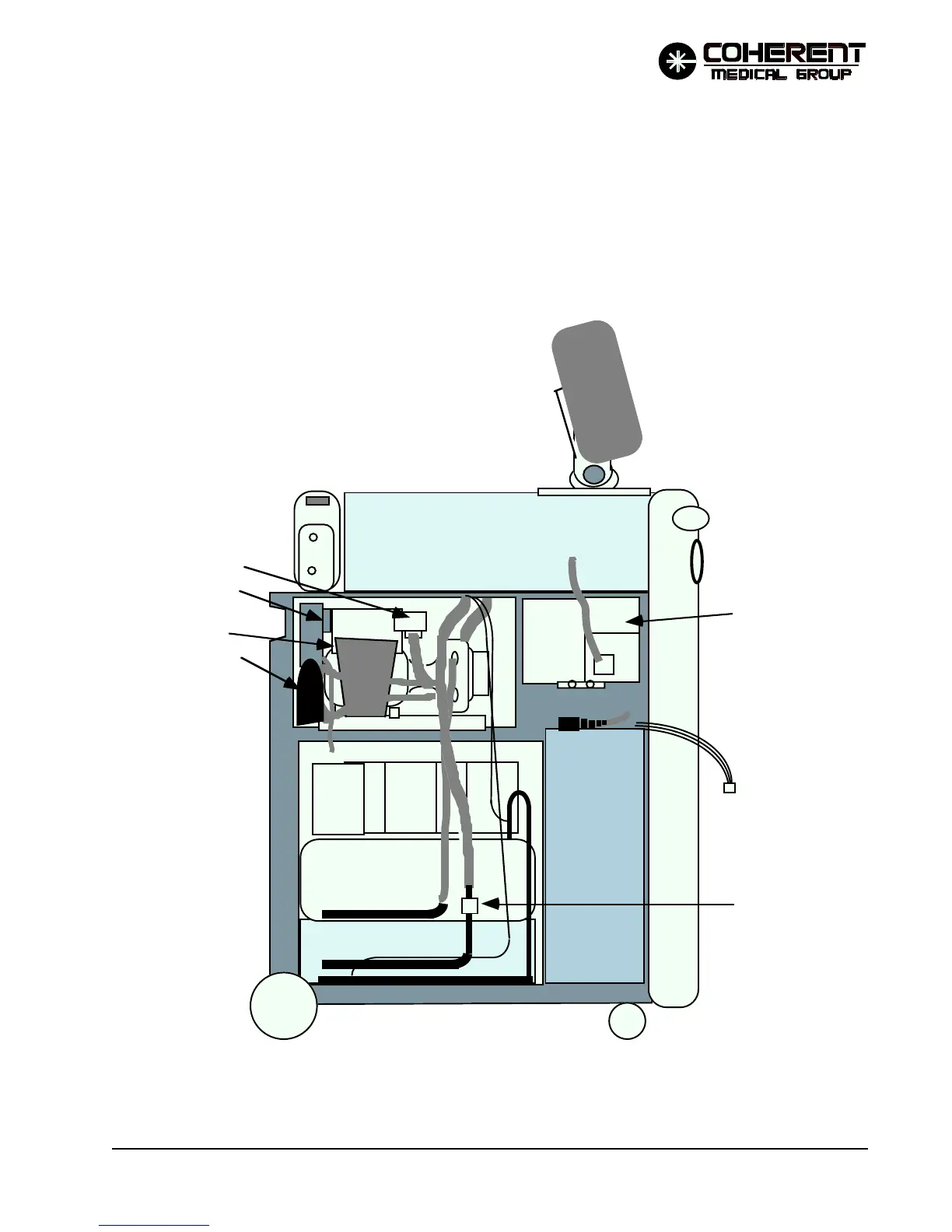
Remove the left side cover to access most of the cooling system components.
To remove the left side cover, open the front cover, remove the top cover, remove the single screw that secures
the cover at the bottom, just in front of the rear wheel, remove the six screws along the top and front of the cover
(three along the top, three along the front), then carefully pull the cover off to access the jack and plug connection
on cable that runs out to the key switch and emergency off button, both located on the cover. If the system is to
be operated with the cover off, the cover will need to be placed close enough to the unit to allow the keyswitch
and emergency off button connection to remain connected.
FIGURE 5.11 INTERIOR VIEW, LEFT SIDE
HVPS
OPTICS BENCH
PFN
ENCLOSURE
HEAT EXCHANGER
MAIN
RESERVOIR
COOLING FAN
FILL RES.
BACK
FRONT
D/I FILTER
TEMP SENSE
(DISPLAY)
TOUCH SCREEN
CONTROL PANEL
Connector to Left Side
Cover.
FLOWSWITCH
FILTER
TEMP SENSE


 To Next Page