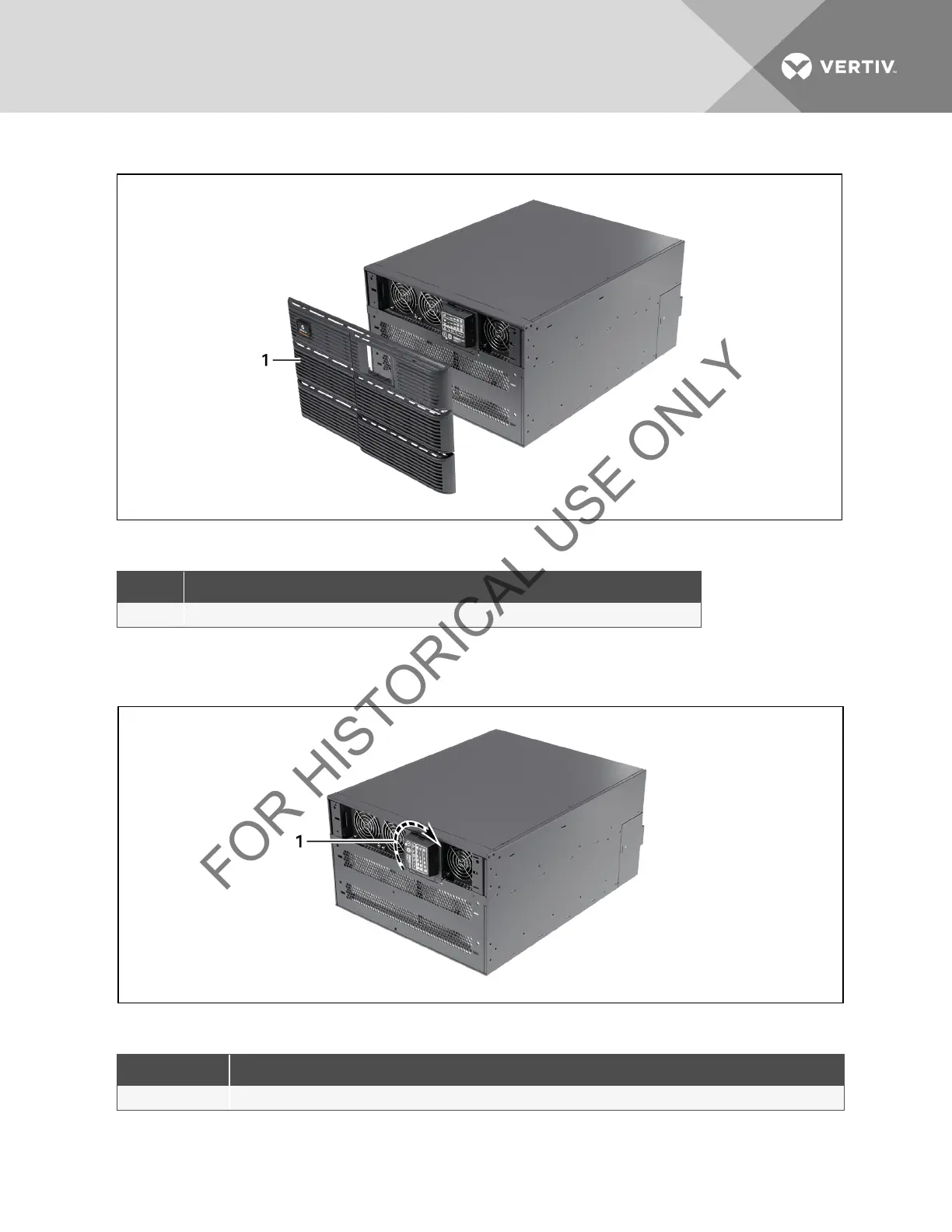
Figure 5.2 Remove the front plastic bezel cover
ITEM DESCRIPTION
1 Front Plastic Bezel Cover
Table 5.2 Front Plastic Bezel Cover Description
b. Pull the operation and display panel gently, rotate it 90 degrees clockwise and snap it back into
position, as shown in Figure 5.3 below.
Figure 5.3 Rotate the operation and display panel
ITEM DESCRIPTION
1 Operation and Display Panel Rotated Clockwise 90 Degrees
Table 5.3 Rotation Description
Vertiv | Liebert® GXT3 ™ Installer/User Guide | 24



 To Next Page