VESDA Maintenance Guide VESDA
32 www.xtralis.com
8.4 VESDA VLI
8.4.1 Replacing the VESDA VLI Intelligent Filter
The VESDA VLIdetector constantly monitors the difference between the flow of filtered and un-filtered air into
the manifold. The flow of filtered air decreases when compared to that of un-filtered air as dirt and other
particles accumulate in the Intelligent Filter. Although it is recommended to replace the Intelligent Filter every
two years, environmental conditions dictate the actual frequency of Intelligent Filter replacement.
The detector reports a fault condition that requires replacement of the Intelligent Filter when the flow of filtered
air falls below the minimum threshold when compared to the flow of un-filtered air.
Remove the Intelligent Filter
1. Set the detector to Standby mode.
2. Remove the front cover.
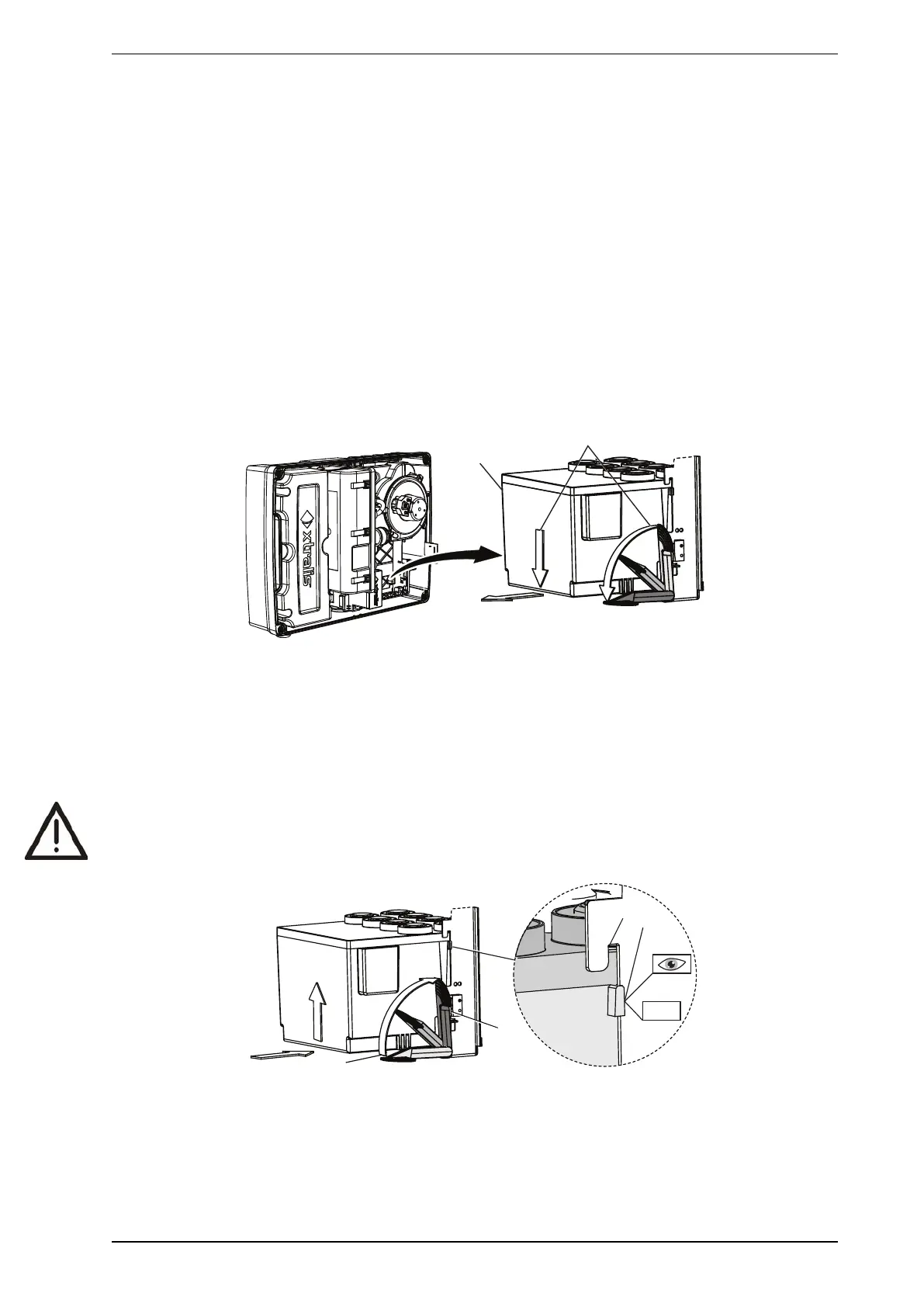
3. Unclip the Intelligent Filter (A) by pulling the locking lever outward (B).
4. Remove the Intelligent Filter.
Figure 8-19: Intelligent Filter Removal
Reinstall the Intelligent Filter
1. Position the Intelligent Filter inside the detector, aligning the locking tabs (A) to the slots (B).
2. Push the locking lever in the direction of arrow (C) until it clicks into the locked position and the Intelligent
Filter Present Switch (D) is actuated.
3. Execute the Reset Intelligent Filter Life command using Xtralis VSC.
Caution: Do not reinstall a used filter.
Figure 8-20: Intelligent Filter Installation











 To Next Page