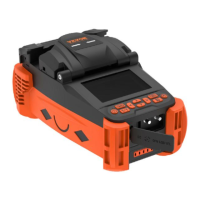
1. "Validity period verification": When the validity period
verification function is enabled, no matter whether the
power-on mandatory password verification function is
enabled or not, if the system detects that the set validity
period has expired, the system will pop up the
password login interface, and the key composed of red
numbers will appear on the password login interface. It
is necessary to inform the manager of the fusion splicer
of the key to obtain the temporary power-on password.
After entering the correct password, the system will
automatically activate the previous password. When
the validity period verification function is turned off, the
system will not detect the validity period of the fusion
splicer, and consider the fusion splicer to be
permanently valid.
2. "Set validity period": Through this option, you can set
the validity period of the fusion splicer. Use the left and
right buttons to adjust the field of validity period; press
the up and down buttons to adjust the validity period,
and press and hold the up and down buttons
continuously to realize quick adjustment. Press the
menu key to save the validity period.
3. "Valid times verification": When the valid times
verification function is turned on, no matter whether the
power-on forced verification password function is
turned on or not, if the system detects that the number
of valid times exceeds the set number, the system will
pop up the password login interface, and a password
composed of red numbers will appear on the password
login interface. key, the user needs to inform the
manager of the fusion splicer of the key to obtain the
temporary power-on password for this time, and the
system will automatically activate the previous


 To Next Page