10
2.2 Pairing Robot Brain and Controller 2.2 Couplage du Robot Cerveau et de la
Télécommande
1
2
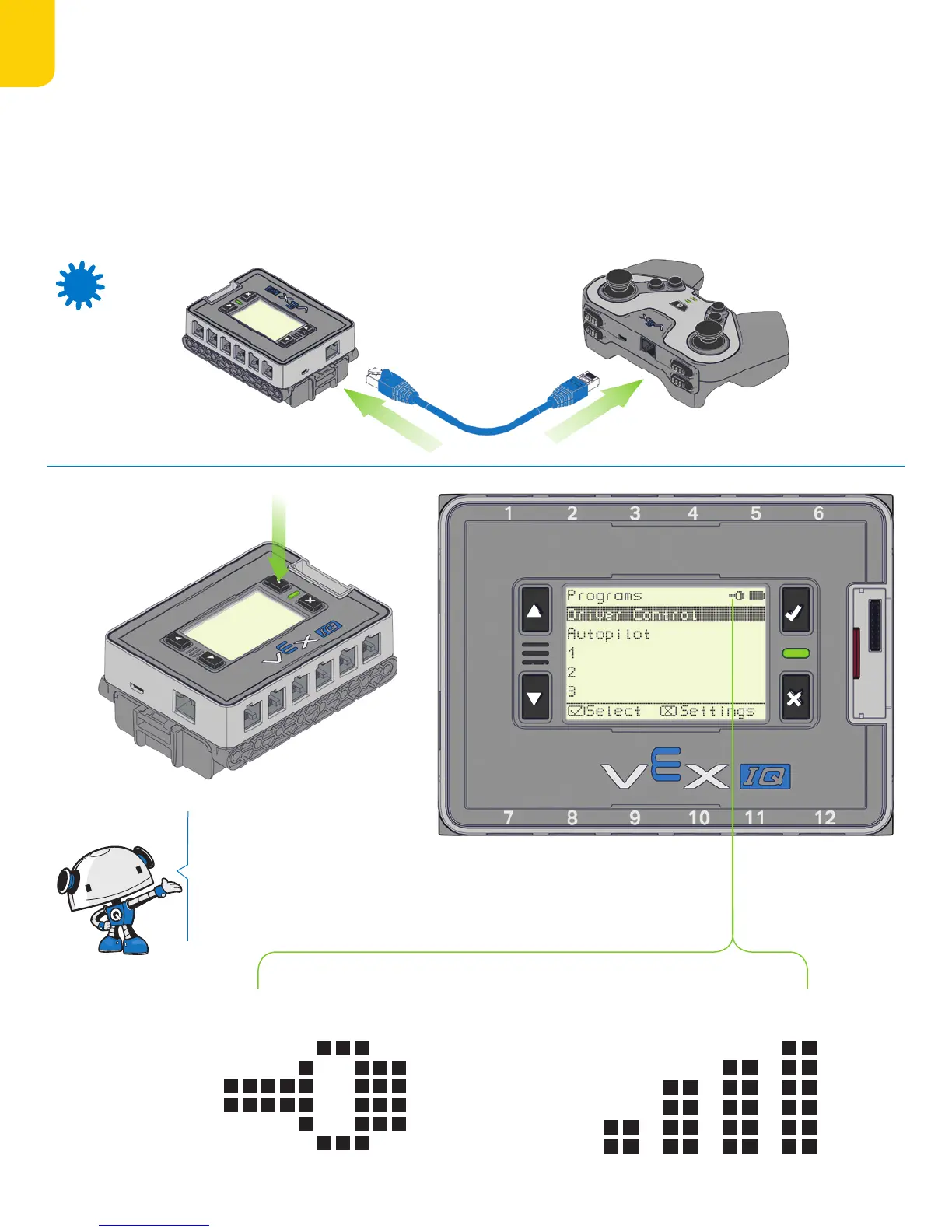
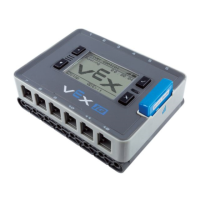
Before rst use, the Robot Brain and Controller must be paired to
each other to enable wireless communication.
Ensure both the Robot Brain and Controller are powered o with
the same type of Radio (either 900 MHz or 2.4 GHz) in each one.
Connect the Robot Brain and Controller using the Tether Cable,
and turn on the Robot Brain by pressing the [√] Check Button.
Once the Tether Icon appears on the LCD Screen, disconnect the
Tether Cable from both. Restart both the Robot Brain and Controller
to enable wireless communication.
Avant la première utilisation, le cerveau du robot et la télécommande
doivent être branché an d’assurer la communication sans l.
Assurez vous que le cerveau du robot et la télécommande sont désac-
tivés avec le même type de Radio (soit 900 MHz ou 2.4 Ghz) dans chacun.
Connectez le Cerveau du Robot en utilisant le câble Tether et allumez le
Cerveau du Robot en appuyant le bouton de Contrôle [√]. Une fois que
l’Icône Tether apparaît sur l’écran LCD, déconnectez le câble Tether des
deux appareils. Redémarrez le Cerveau du Robot et la Télécommande
an de permettre le démarrage de la communication sans l.
Robot Brain and Controller are Tethered.
Le Cerveau du Robot et la Télécommande sont
connectés par Tether.
Robot Brain and Controller are connected by Radio.
Le Cerveau du Robot et la Télécommande sont
connectés par Radio.
Once a Robot Brain and Controller
are paired together they will stay
linked even after being turned o
and back on.
Une fois que le Robot Cerveau et la
télécommande sont connectés, ils
restent connectés même après avoir
été éteint et rallumés.


 To Next Page