BIOS Setup
3-13
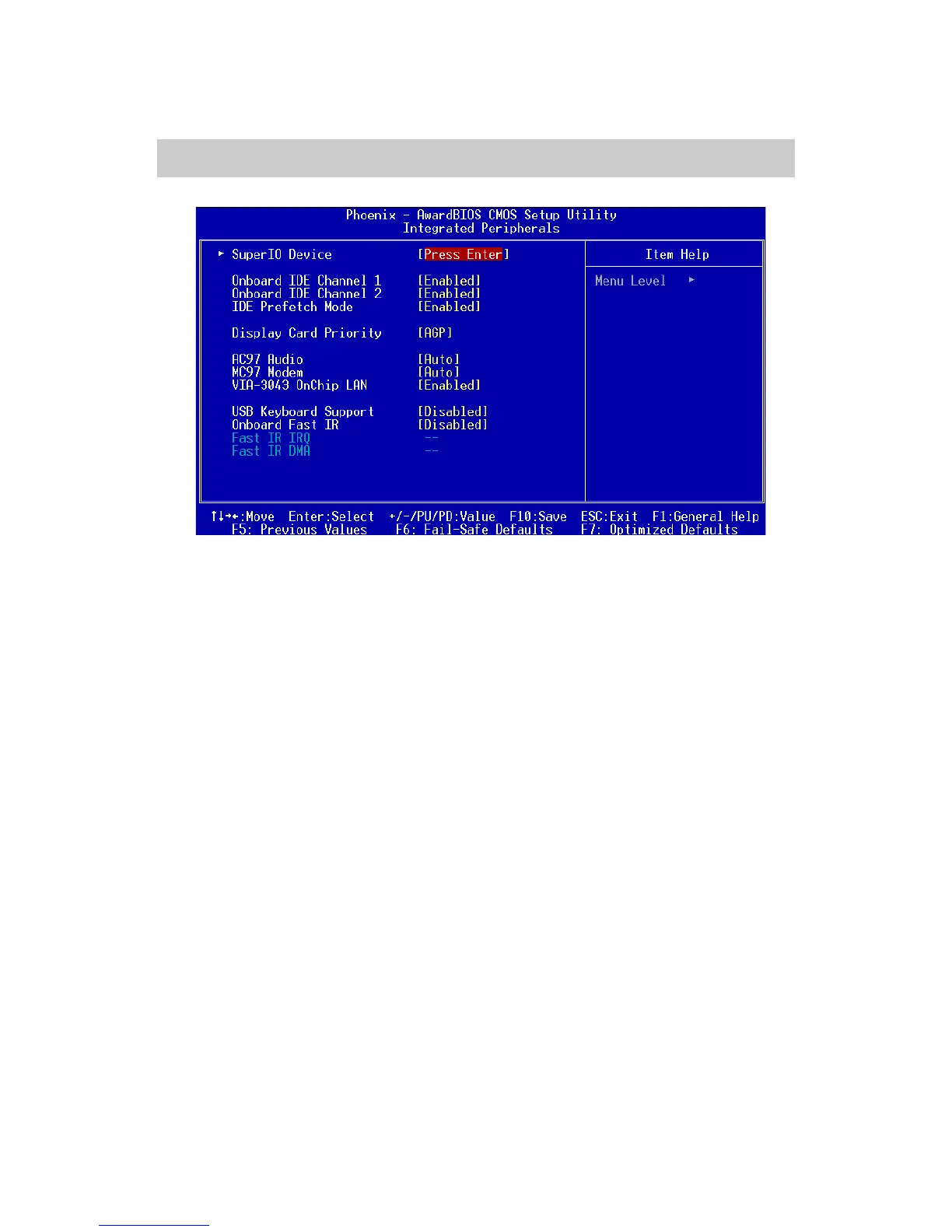
Integrated Peripherals
Onboard IDE Channel 1/2
The integrated peripheral controller contains an IDE interface with sup-
port for two IDE channels. Choose Enabled to activate each channel
separately. Settings: Disabled, Enabled.
IDE Prefetch Mode
This allows your hard disk controller to use the fast block mode to trans-
fer data to and from the hard disk drive. Block mode is also called block
transfer, multiple commands or multiple sector read/write. Enabled ena-
bles IDE controller to use block mode; Disabled allows the controller to
use standard mode.
Display Card Priority
This setting specifies which VGA card is your primary graphics adapter.
Settings: PCI Slot and AGP.
AC97 Audio
Auto allows the mainboard to detect whether an audio device is used. If
the device is detected, the onboard VIA AC’97 (Audio Codec’97) con-
troller will be enabled; if not, it is disabled. Disable the controller if you
want to use other controller cards to connect an audio device. Setting
options: Auto and Disabled.














 To Next Page