BIOS Setup
3-11
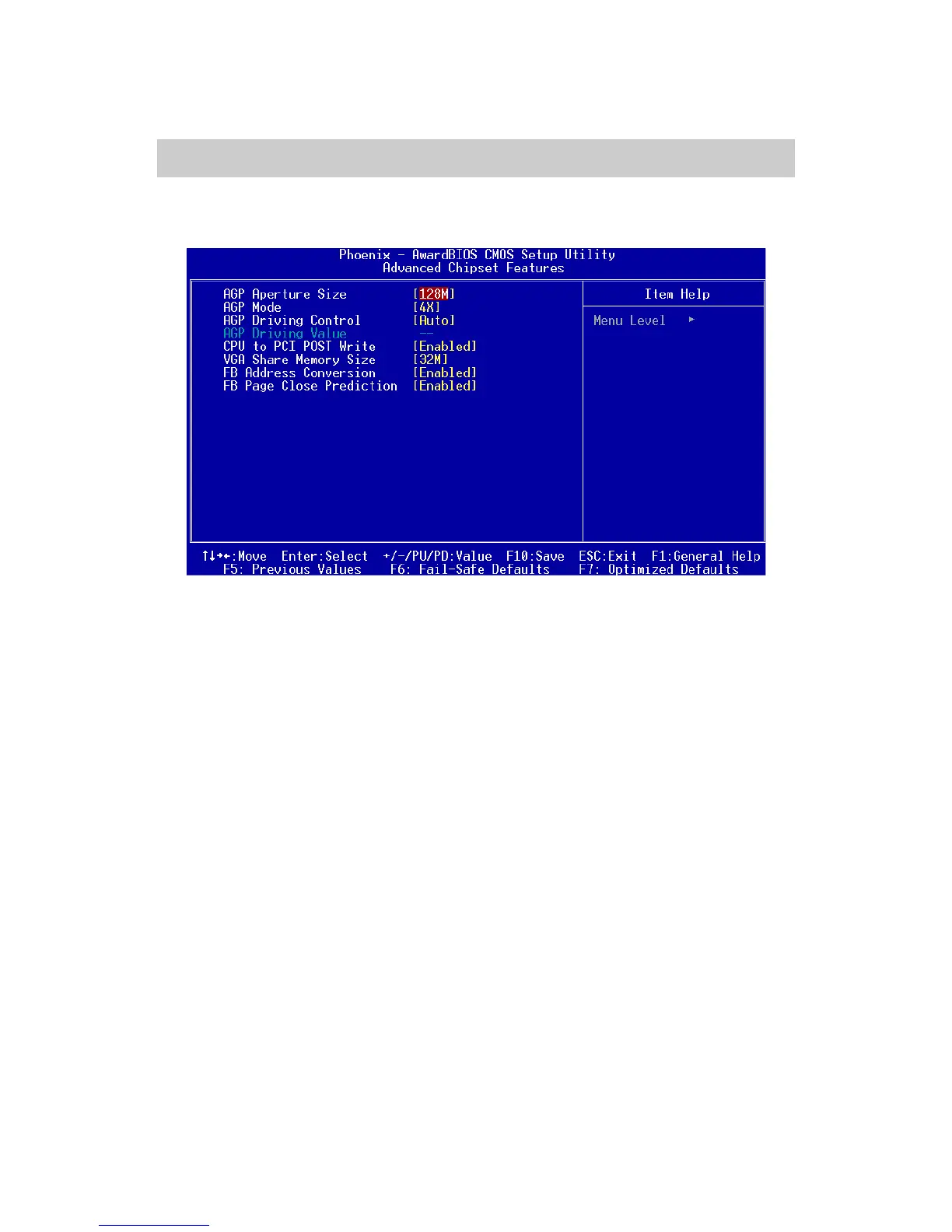
The Advanced Chipset Features menu is used for optimizing the chipset
functions.
Advanced Chipset Features
Note: Change these settings only if you are familiar with the chipset.
AGP Aperture Size
This setting controls how much memory space can be allocated to
AGP for display purposes. The aperture is a portion of the PCI
memory address range dedicated to graphics memory address
space. Host cycles that hit the aperture range are forwarded to the
AGP without any translation. Settings: 4MB, 8MB, 16MB, 32MB,
64MB, 128MB, and 256MB.
AGP Mode
This mainboard supports AGP 4x interface. When the AGP 4x
video card is used, it can transfer video data at 1066MB/s. AGP 4x
is backward-compatible, leave the default 4x mode on if unsure.
When set to 1x mode, the maximum transfer rate it to 266MB/s, and
2x mode transfer data at 533MB/s. Settings: 4X, 2X, and 1X.
AGP Driving Control
The setting is used to adjust AGP driving force. Selecting Manual
allows you to type a AGP driving force in AGP Driving Value. It is
strongly suggested to select Auto to avoid causing system errors.
Settings: Auto and Manual.














 To Next Page