iMS3D – Indoor Mobile Scanning System
Operating Guide. © Viametris SAS.
iMS3D – Operating Guide Document v2.12 11
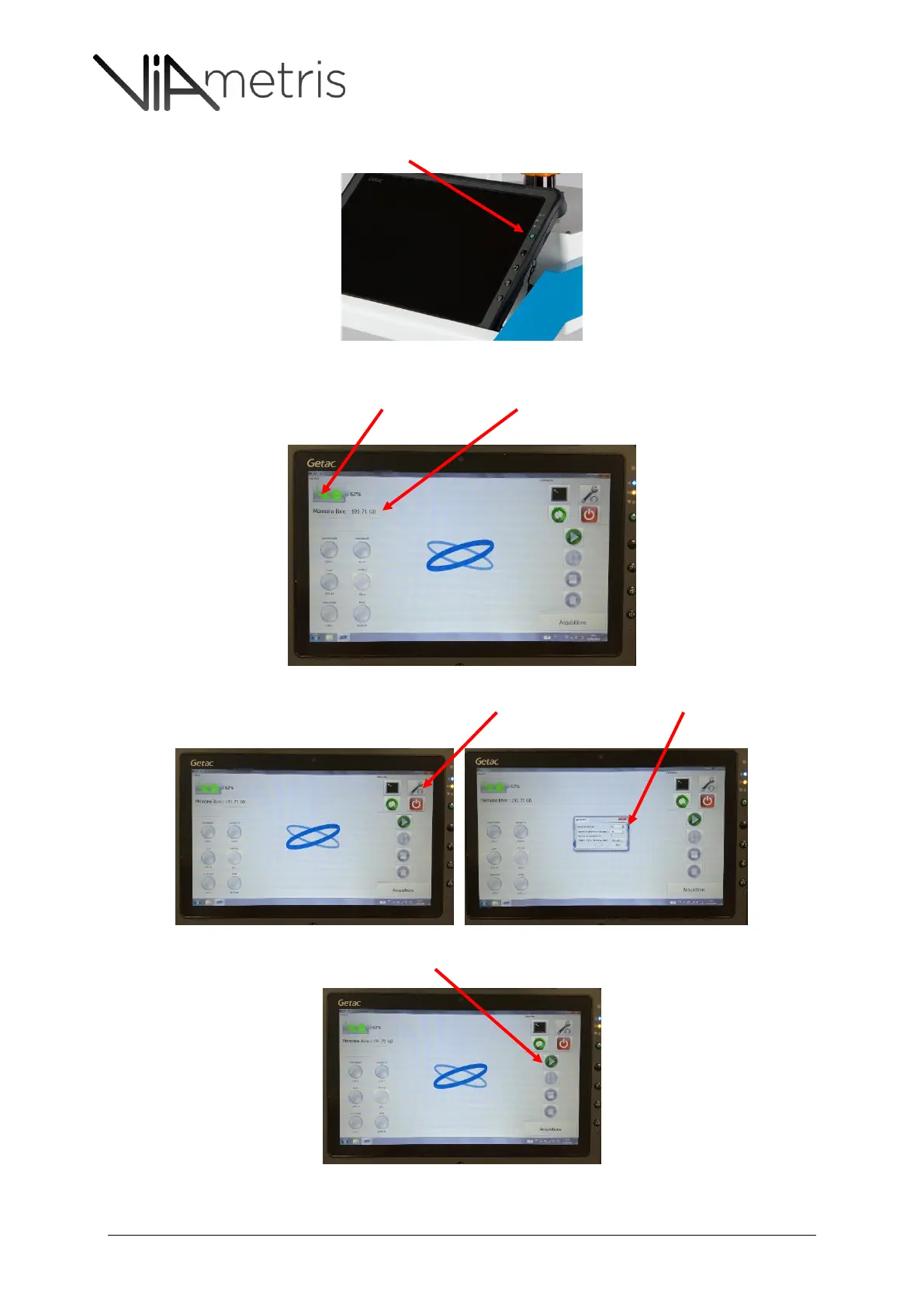
2- Power on the tablet by pushing the green button
3- Launch the iMS3D program on the tablet and wait for connection with the embedded
computer. The System battery level and the free disk space on the embedded computer is
displayed.
4- It is possible to change the image trigger distance: by default, the value is 2m, meaning that a
new image is grabbed every two (2) meters
5- Start the acquisition by clicking the “Play” button



 To Next Page