44 OLP-87/OLP-87P
6 PONMETER OPERATION
PASS/FAIL MEASUREMENT
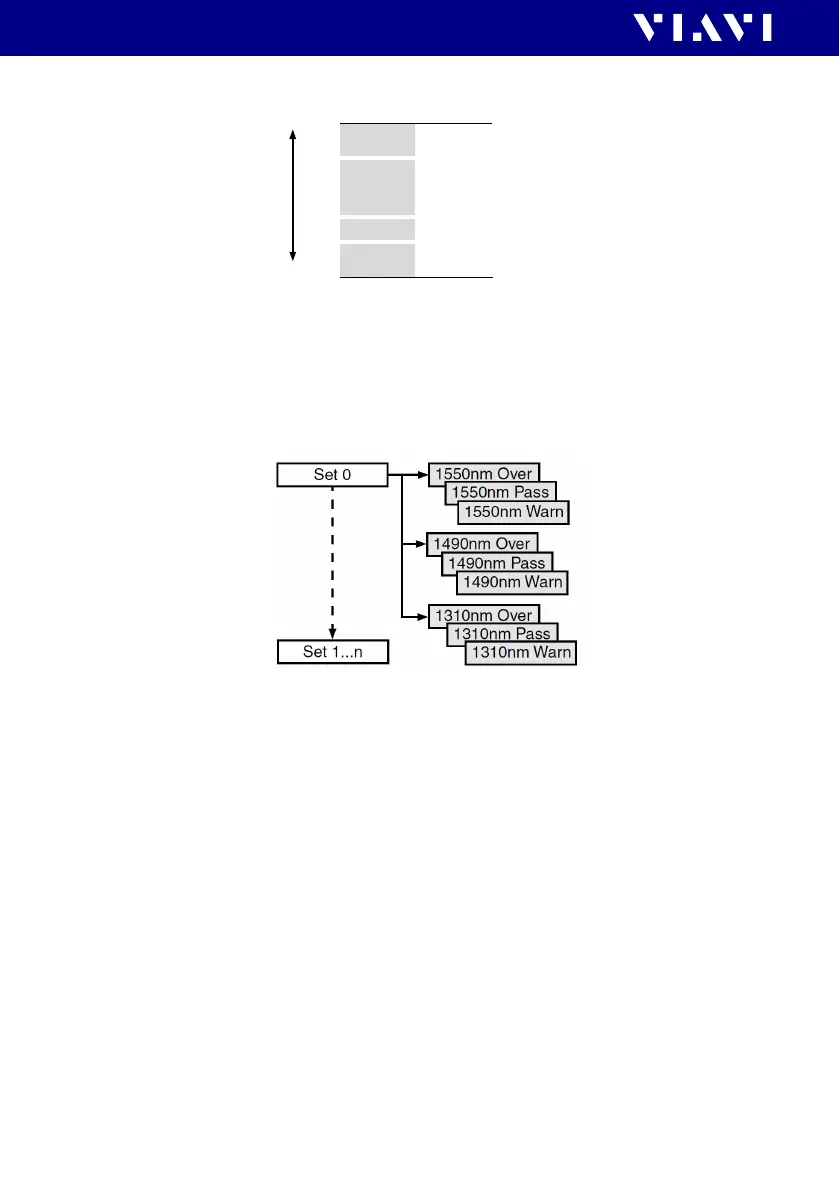
Fig. 18 Thresholds and result areas
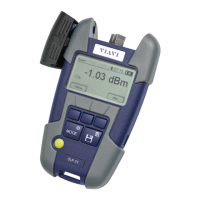
These thresholds can be defined separately for each wavelength
(1310, 1490 and 1550 nm) and stored together as a threshold
set. To inhibit the “Warn” message, use the same threshold level
setting for “Pass” and “Warn”.
Fig. 19 Threshold set structure
Editing a threshold set
Threshold tables can be edited on the instrument itself or via the
PC reporting tool “SmartReporter“ downloadable at http://
updatemyunit.net/software.
Select a threshold set
I The PONmeter screen is displayed.
1. Press the
[A] key.
2. Tap t h e [More] button.
3. Tap t h e [Edit Threshold Sets] button.
Over
Pass
Warn
FAIL
WARN
PASS
OVER
Thresholds
Results
High
Low
Instrument range


 To Next Page