OLP-87/OLP-87P 45
PASS/FAIL MEASUREMENT
6 PONMETER OPERATION
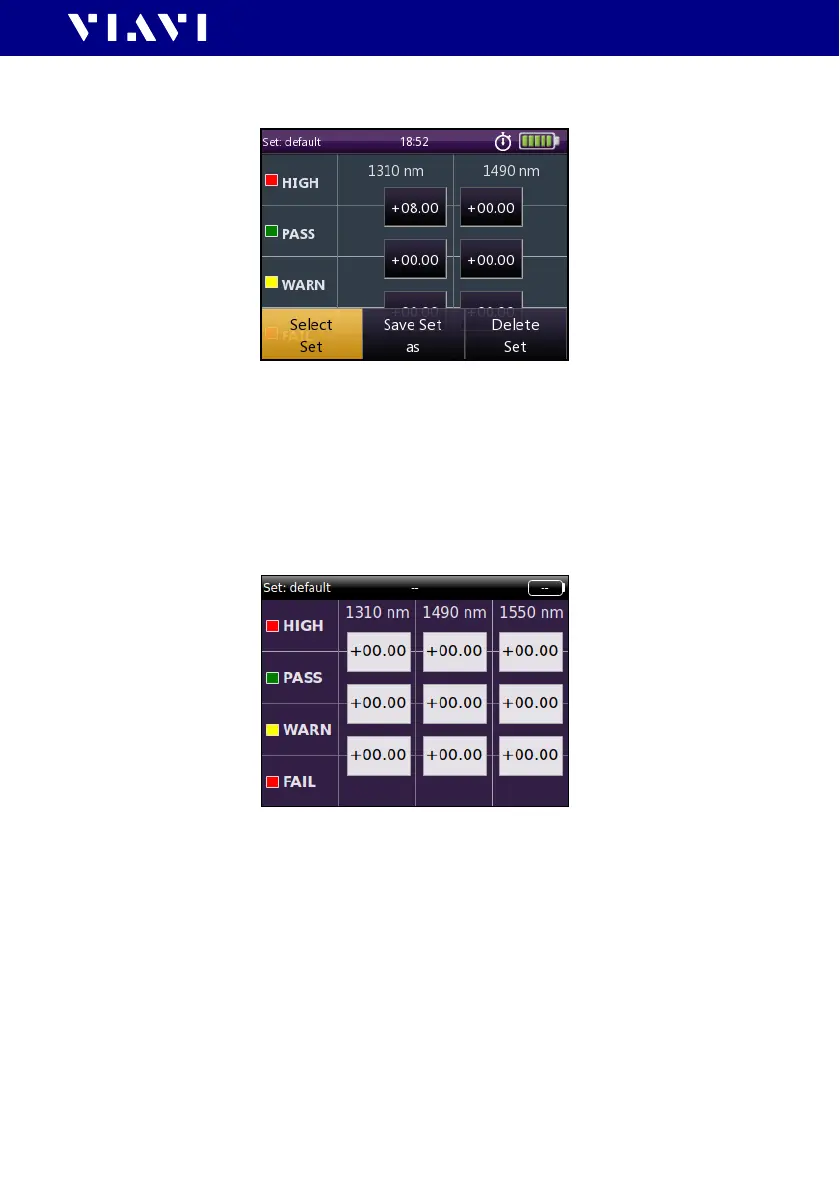
The following menu is displayed:
4. To select a saved threshold, press the
[A] key and tap the
[Select Set] button.
5. Select the desired threshold set.
The selected set is displayed.
Editing threshold levels
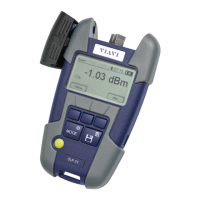
I The Edit Threshold Sets menu is displayed:
1. To change the threshold, tap on the desired value.
The Threshold Warn, Threshold Pass or Threshold Over edit
menu is displayed.
2. Type in the desired value.
3. Tap t h e [OK] button.
J Repeat steps 1 through 3 as required.
Saving a new threshold set
I The Edit Threshold Sets menu is displayed.
1. Press the
[A] key.
2. Tap t h e [Save Set as] button.


 To Next Page