74 OLP-87/OLP-87P
10 DATA MANAGEMENT
DATA MANAGEMENT OF PROBE AND PCM TESTS
Data management of Probe and PCM tests
Recalling stored test results
Stored test results are displayed directly from the menu in the
Probe/PCM application.
I The Probe or PCM application is selected.
1. Press the
[A] key.
2. Tap t h e [More] button.
3. Tap t h e [Measurement Data] button.
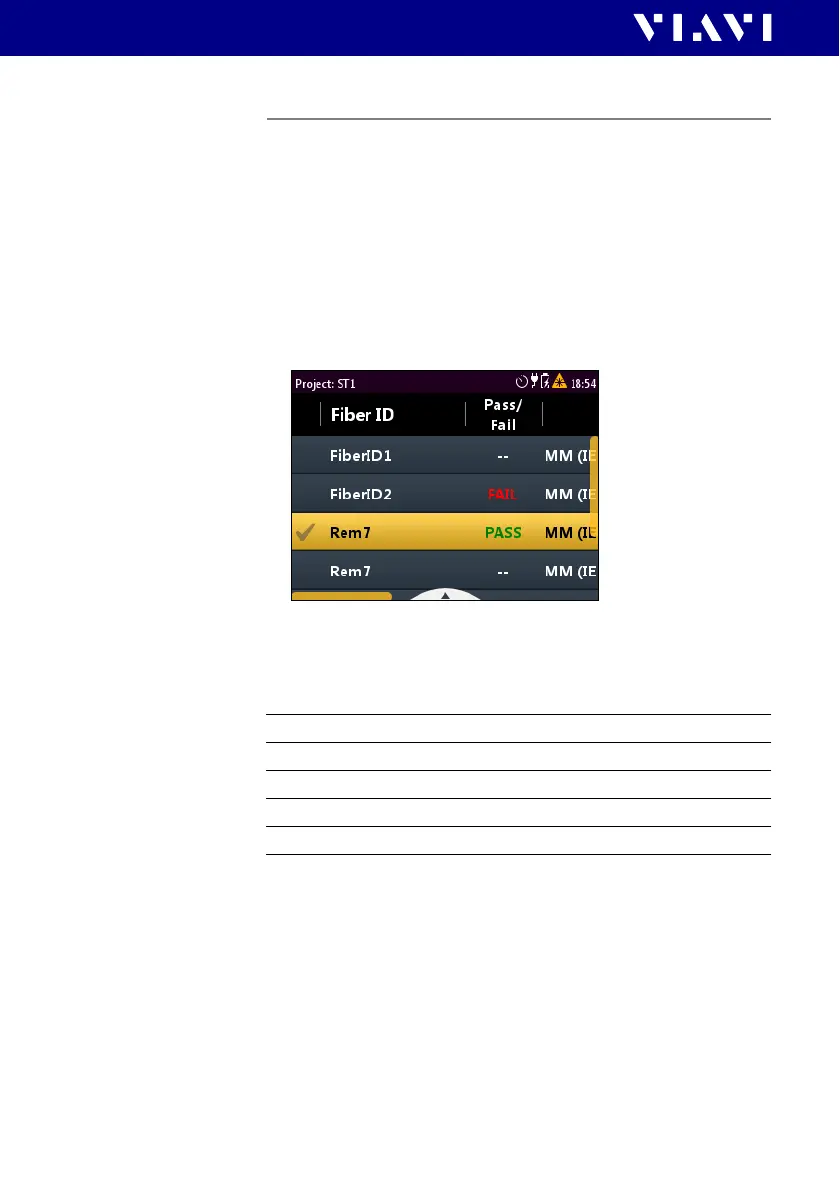
The list of stored test results is displayed.
To show all columns of the overview:
J Press the right/left arrow keys to show additional information.
The displayed information depends on the selected
application.
Selecting/Deselecting test results
Test results first must be selected before they can be viewed or
deleted. A selected entry is flagged by the check mark in the first
column.
To select one test:
1. To select a test, tap it twice.
– or –
Press the arrow keys to highlight the test and press the center
key
Fiber ID Test label name
Pass/Fail Passed/failed label
Profile Profile label
Adapter Typ of adapter
Timestamp Time and date of the test


 To Next Page