OLP-87/OLP-87P 73
DATA MANAGEMENT OF PONMETER, XGPON AND BROADBAND TESTS
10 DATA MANAGEMENT
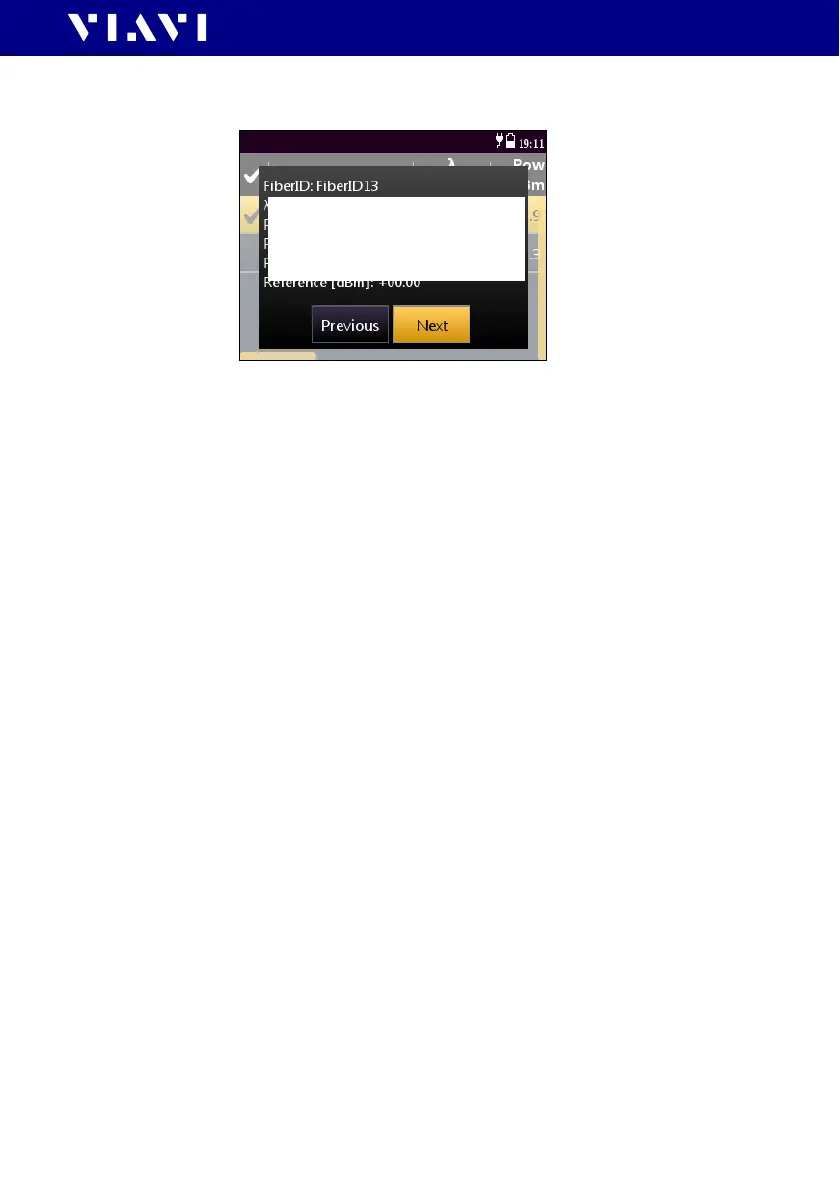
The first selected result will be displayed.
Fig. 28 Test results
3. Press the [A] key and tap the [Next] or [Previous] button to
display other results.
To sort the test results:
I The measurement data overview is displayed.
1. Press the
[A] key.
2. Tap t h e [More] button, then tap the [Sort Order] button.
3. Select the desired sorting order.
To show or hide the overview columns:
I The measurement data overview is displayed.
1. Press the
[A] key.
2. Tap t h e [More] button, then tap the [Show Columns] buttons.
3. Tap any column header to toggle its hide/show status.
To delete stored results from a project:
I The measurement data overview is displayed.
1. Select one or more test results.
2. Press the
[A] key.
3. Tap t h e [Delete Selected] button.
The selected test results are deleted.
Grafik korrekt für PON-
meter, XGPON und
Broadband Operation?


 To Next Page