46 OLP-87/OLP-87P
6 PONMETER OPERATION
PASS/FAIL MEASUREMENT
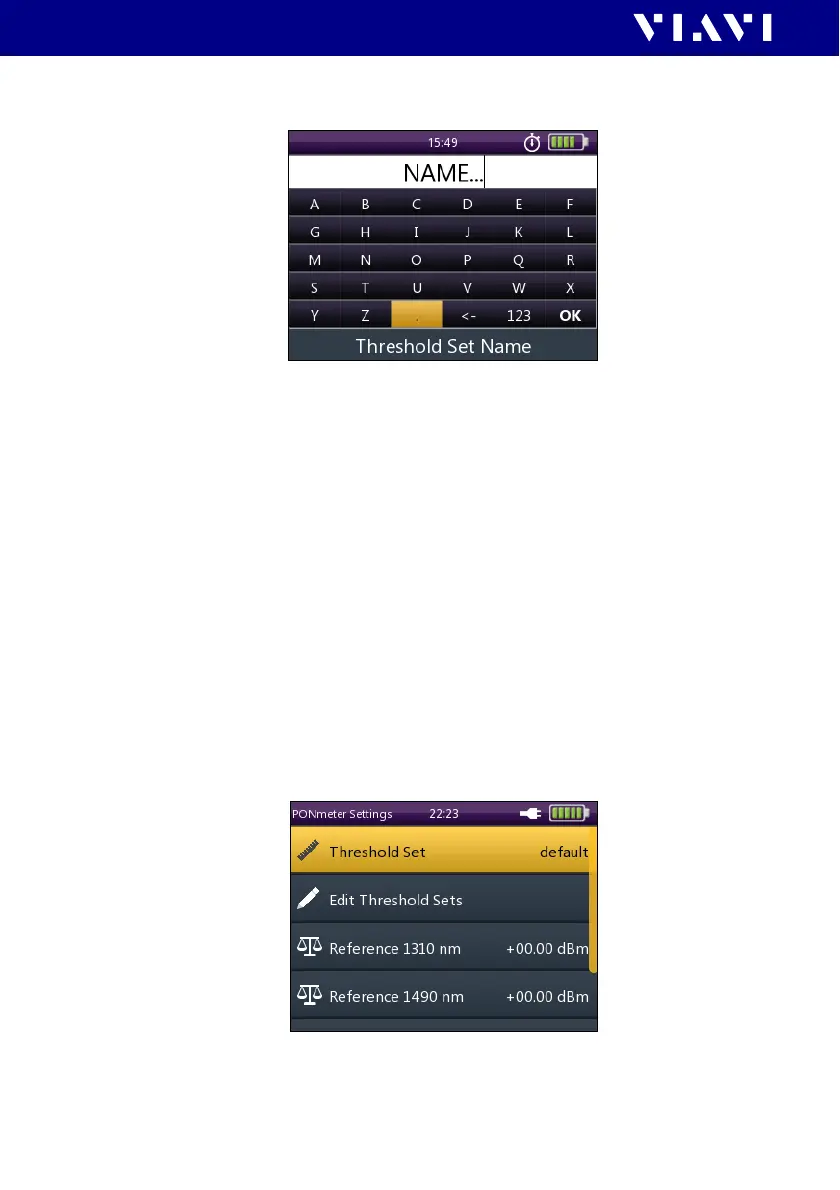
The THRESHOLD SET NAME menu is displayed:
3. Type in the threshold set name.
4. To save the threshold set, tap the [OK] button.
– or –
To exit from the menu without making any changes press the
[F] key.
J To return to the measurement display press the
[F] key
several times.
The last threshold set that was edited will be selected for
measurement when you exit from the setting menu.
Selecting a threshold set for measurement
I The PONmeter screen is displayed.
1. Press the [A] key.
2. Tap t h e [More] button.
The More menu is displayed:
3. Tap t h e [Threshold Set] button.
4. Select a threshold set.


 To Next Page