measurement.
measurement.
measurement.
measurement.
You
You
You
You
must
must
must
must
open
open
open
open
the
the
the
the
circuit
circuit
circuit
circuit
under
under
under
under
test,
test,
test,
test,
then
then
then
then
place
place
place
place
the
the
the
the
meter
meter
meter
meter
in
in
in
in
series
series
series
series
with
with
with
with
the
the
the
the
circuit.
circuit.
circuit.
circuit.
Caution
Caution
Caution
Caution
To
To
To
To
avoid
avoid
avoid
avoid
possible
possible
possible
possible
damage
damage
damage
damage
to
to
to
to
the
the
the
the
meter
meter
meter
meter
or
or
or
or
to
to
to
to
the
the
the
the
equipment
equipment
equipment
equipment
under
under
under
under
test,
test,
test,
test,
check
check
check
check
the
the
the
the
meter
meter
meter
meter
’
’
’
’
s
s
s
s
fuses
fuses
fuses
fuses
before
before
before
before
measuring
measuring
measuring
measuring
current.
current.
current.
current.
Use
Use
Use
Use
the
the
the
the
proper
proper
proper
proper
terminals,
terminals,
terminals,
terminals,
function,
function,
function,
function,
and
and
and
and
range
range
range
range
for
for
for
for
your
your
your
your
measurement.
measurement.
measurement.
measurement.
Never
Never
Never
Never
place
place
place
place
the
the
the
the
probes
probes
probes
probes
across
across
across
across
(in
(in
(in
(in
parallel
parallel
parallel
parallel
with)
with)
with)
with)
any
any
any
any
circuit
circuit
circuit
circuit
or
or
or
or
component
component
component
component
when
when
when
when
the
the
the
the
leads
leads
leads
leads
are
are
are
are
plugged
plugged
plugged
plugged
into
into
into
into
the
the
the
the
current
current
current
current
terminals.
terminals.
terminals.
terminals.
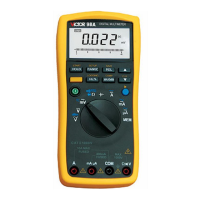
To measure ac or dc current, proceed as follows:
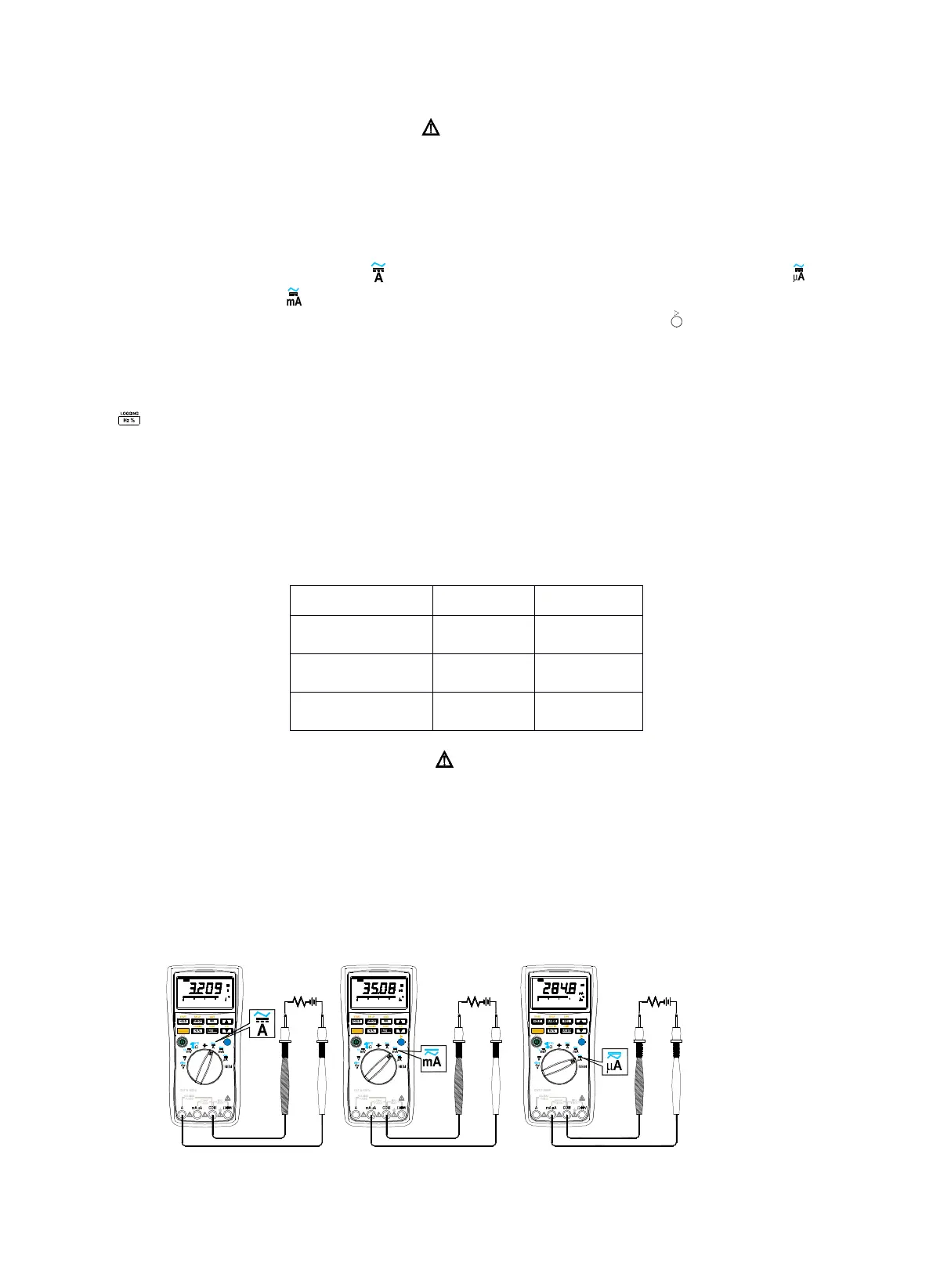
1. Insert the black lead into the COM terminal. Insert the red lead in an input appropriate for the measurement range as shown
in Table 3-1.
2. When using A
A
A
A
jack, set the rotary switch on position; When using mA
mA
mA
mA
µ
µ
µ
µ
A
A
A
A
jack, set the rotary switch on position if
the current is less than 4000 µ A and position if the current is more than 4000 µ A.
3. The meter is preset to direct current, and the screen shows “ DC ” ; Press blue pushbutton ( ) once to select alternating
current measurement and the screen shows “ AC ” .
4. Open the circuit path to be tested. Touch the red probe to the more positive side of the break; touch the black probe to the
more negative side of the break. Reversing the leads will produce a negative reading, but will not damage the meter.
5. Turn on power to the circuit, and read the measuring results from the screen.
6. Press to toggle between the frequency and duty cycle ratio of the signals under test.
7. Turn off power to the circuit and discharge all high voltage capacitors. Remove the meter and restore the circuit to normal
operation.
Table
Table
Table
Table
3-1.Current
3-1.Current
3-1.Current
3-1.Current
Measurement
Measurement
Measurement
Measurement
Notice
Notice
Notice
Notice
Start
Start
Start
Start
measuring
measuring
measuring
measuring
from
from
from
from
the
the
the
the
high
high
high
high
range
range
range
range
if
if
if
if
the
the
the
the
current
current
current
current
can
can
can
can
’
’
’
’
t
t
t
t
be
be
be
be
evaluated.
evaluated.
evaluated.
evaluated.
For
For
For
For
safety,
safety,
safety,
safety,
the
the
the
the
measuring
measuring
measuring
measuring
time
time
time
time
should
should
should
should
be
be
be
be
limited
limited
limited
limited
within
within
within
within
15s,
15s,
15s,
15s,
while
while
while
while
the
the
the
the
interval
interval
interval
interval
should
should
should
should
be
be
be
be
more
more
more
more
than
than
than
than
10
10
10
10
min
min
min
min
when
when
when
when
measuring
measuring
measuring
measuring
high
high
high
high
current.
current.
current.
current.
If
If
If
If
the
the
the
the
input
input
input
input
current
current
current
current
is
is
is
is
more
more
more
more
than
than
than
than
10.00A,
10.00A,
10.00A,
10.00A,
then
then
then
then
the
the
the
the
inner
inner
inner
inner
beeper
beeper
beeper
beeper
sounds
sounds
sounds
sounds
constantly
constantly
constantly
constantly
indicating
indicating
indicating
indicating
the
the
the
the
value
value
value
value
surpass
surpass
surpass
surpass
the
the
the
the
range.
range.
range.
range.
Figure3-11.DC
Figure3-11.DC
Figure3-11.DC
Figure3-11.DC
Current
Current
Current
Current
Measurement
Measurement
Measurement
Measurement
Rotary
Rotary
Rotary
Rotary
Switch
Switch
Switch
Switch


 To Next Page