iCNC XT
5-6 OPERATION Manual 0-5299
The Cut again box allows the opportunity to suspend and save a current job and restart a saved job.
• Cancel – Cancel any selected functions under the Cut again box
Show new start point – Selecting this function allows the mouse pointer to automatically change to a cross hair when a pierce point
is identifi ed on a part
• Restart - After locating a new pierce point, select Restart to start cutting cycle
• Zoom – Allows easier pierce point location on a nest by zooming-in on a part
• Save job – Will store existing suspended program to a temporary fi le
• Reload saved job – Brings back the suspended saved program from the temporary fi le
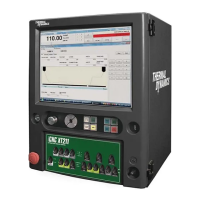
5.3 iCNC XT O perating Control Panel
The iCNC® XT’s operating control panel is located below the LCD graphics screen. Most machine motion and cutting functions
are initiated using this operating control panel.
5.3.1 Speed Potentiometer
Turning the potentiometer counter clockwise decreases the actual speed in comparison with the programmed speed. This potentiometer is
only used in special cases, such as temporarily slowing down the cutting speed. Turning the dial down below 100 % causes the Torch Hold /
Corner signal to be activated, which freezes the automatic torch height control at that height. In most cases the speed potentiometer is set at
100% clockwise.
5.3.2 Direction Jog Keys
MANUAL MODE must be activated before using the jog function. Press and hold a directional button and the machine will move in that direction.
Releasing the button will cause the machine to stop. Pressing and holding two adjoining directional buttons will move both axis simultaneously
in a 45 degree direction.


 To Next Page