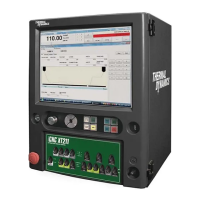
iCNC XT
Manual 0-5299 OPERATION 5-13
5.6 XT242 Switch Description and Function
5.6.1 Station Select Switches
Station Select Switches 1 – 4, Plasma 1 and Plasma 2
With the STATION SELECT switches the operator can select which torches are in use.
• The fi rst 4 are Oxy-Fuel torches
• The last two are Plasma 1 and Plasma 2
The switches have 3 positions: Up/On, Middle/Off, Down/Auto
OFF for Oxy-Fuel stations 1 – 4 means:
• A station is not selected
• Preheat gases, cutting oxygen, water spray and ignition are disabled for this torch
• Torch Up and Down switches for this torch are disabled
• All Up / Down switch does not effect this torch
ON for Plasma stations 1 and 2 means that:
• Torch Up and Down switches for this torch are enabled
• All Up / Down switch will drive this torch
• In plasma cutting this torch will be used for cutting with normal plasma cut ON signals
AUTO for Oxy-Fuel and Plasma stations means that:
• All stations are OFF as default
• Stations are put ON with cnc control
Programmed cutting with 2 plasmas:
• In a case like this it is possible to create a cutting program where some of the programmed cuts (typically small holes) will be cut with
the second plasma while others are cut with plasma 1.
• In a case like this the operator has to select plasma 1 AUTO and plasma 2 AUTO. The controller will automatically disable plasma 1 and
enable plasma 2 according to the programmed selection of plasma 2. This needs to be added to the cutting program separately.
Cutting simultaneously with 2 plasma’s
• In a case where there are two similar plasma’s on the machine, you can cut with both of them simultaneously by selecting both plasma
1 and plasma 2 ON.


 To Next Page