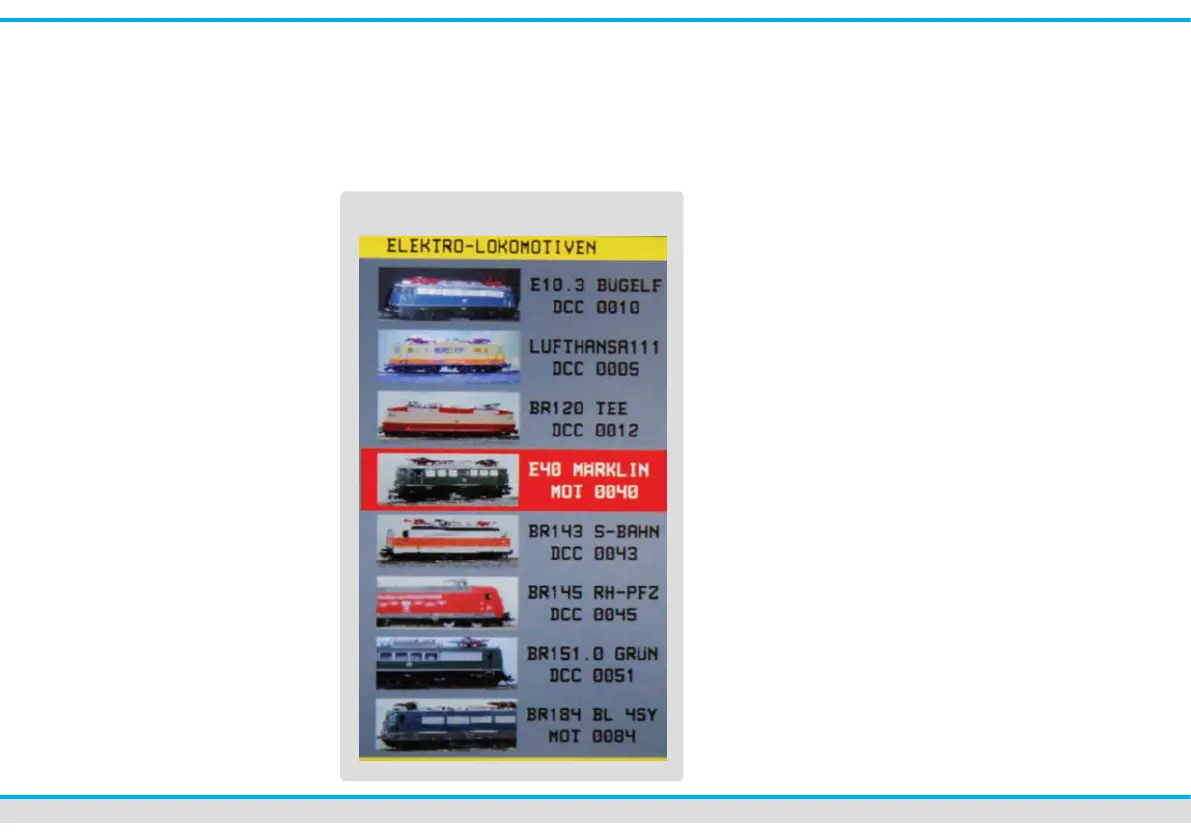
electrical locomotives etc.). Thus you have
a clear arrangement.
You have also the option to run the loco-
motive in the direct-mode. At the touch of
one of the locomotive icons in the direct-
mode, the icon will disappear and be re-
placed by an address eld. You dene the
digital format and you enter the address
of the locomotive by the central keyboard.
You can control this locomotive now with
the respective control panel as usual.
Setting up a locomotive:
Put a new loco on the programming track.
The Commander will automatically identify
the locomotive and a window “train identi-
cation” pops up. Here you can set up,
respectively edit a new loco data-record.
You can open a menu where you can set
up all specications of the loco and the de-
coder (address, digital format, name, icon,
driving behaviour…) by a ngertip on the
appropriate touch eld. You will nd more
information in the chapter “locomotive edi-
tor” on page 20.
Selection of a locomotive:
Touch the loco icon of the control panel
you want to operate with. A list of saved
locos opens up. The navigator enables
you to select and to scroll the respective
sub list. The locomotive you just have
selected has now a red background.
loco-lists



 To Next Page