20 Quick Start
Editors
The Commander offers several different
editors in order to visualize your layout and
to control the locomotives.
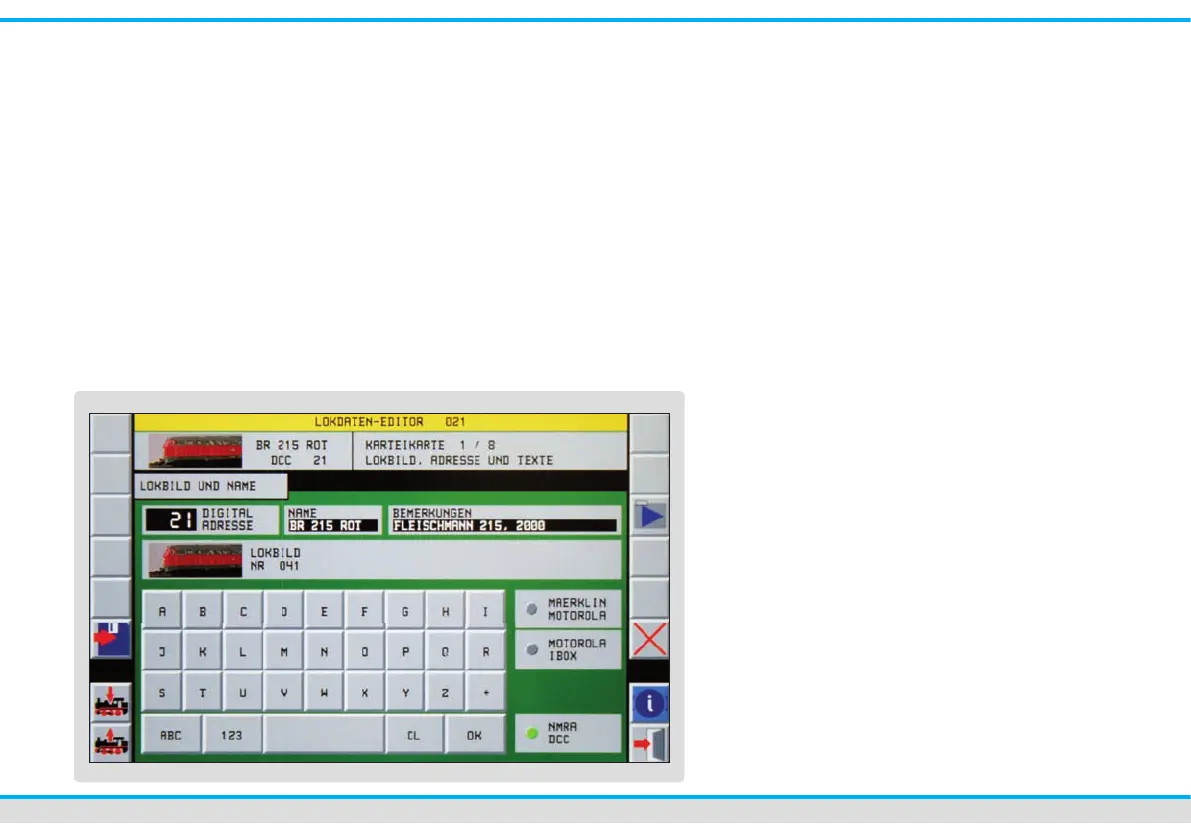
Locomotive editor
You can enter and change the locomotives’
data with this editor. You can modify a data
record at any time. Select the respective
locomotive and hand her over to a control
panel.
• Touch the speedometer of the control
panel with your nger or an electronic
pen until the locomotive window opens
(approx. 1-2 seconds).
• Carry out the desired modi cations and
save them as well in the locomotive de-
coder as in the locomotives’ data record
of the Commander.
The menu consists of several index cards
you can choose to edit them:
1. locomotive icon, address,
text eld for remarks
2. additional functions
3. locomotive driving behaviour
4. decoder setup
5. speed step ramp
6. programming the CV
(variable coef cient)
7. speed step preselection
8. editing of the locomotive list
• Touch the different setting keys (e. g.
address, name etc.) in order to make
the adjustment.
• You have either elds with numbers or
elds with letters, elds to click on or
slide controls to your disposal to enter
the data, in dependence on the context.
• Con rm the input you made by the
number-or character- elds with “OK”.
• Register the CV-data for each CV apart
in the locomotive decoder.



 To Next Page