8 Quick Start
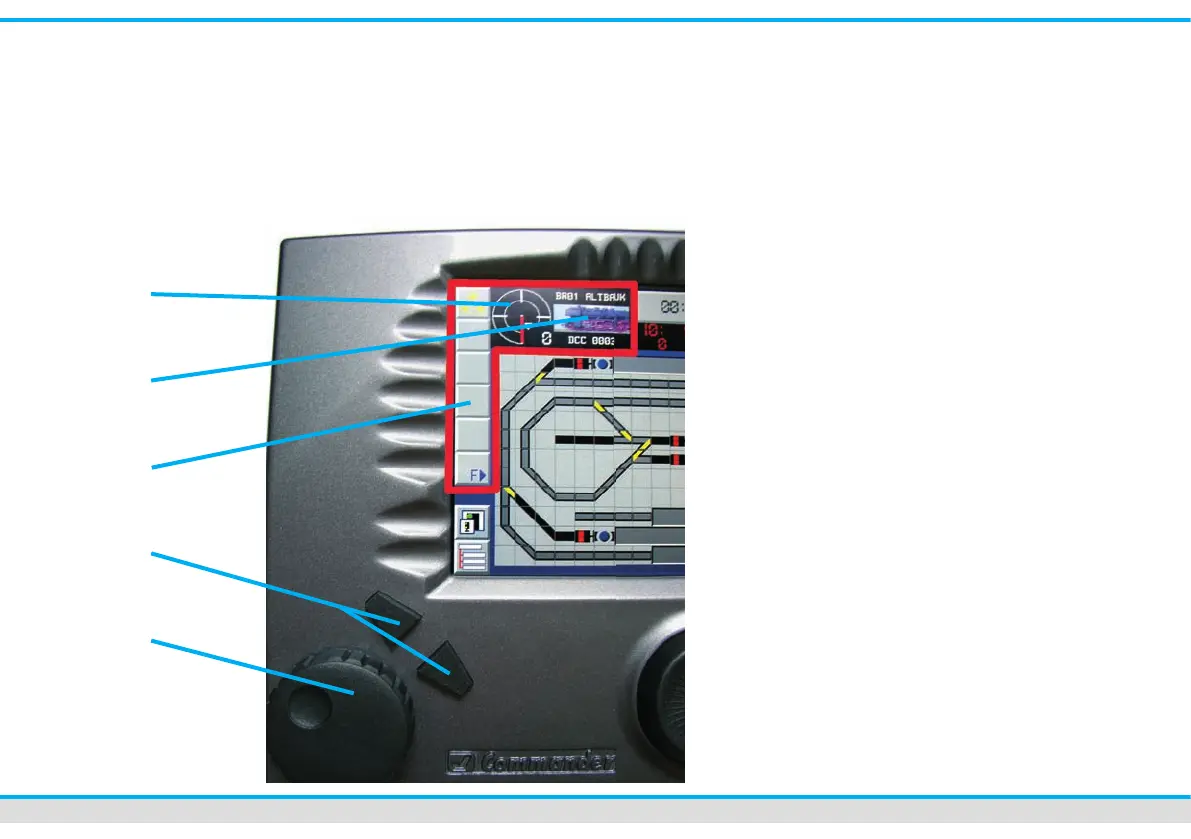
Control panels
The 2 control panels of the Commander
are equivalent one to another. They are on
the right and on the left side of the
display and composed of the following
components:
Speed- control knob with intelligent turn
stop. Turning clockwise the train runs
quicker. You slow down the train by
turning anti-clockwise. Just press the
speed-control knob and the actually
controlled locomotive will stop immedia-
tely (emergency stop).
Two direction-buttons in order to
change the direction of travel.
Function-touch elds in order to choose
the additional functions of the
locomotive by a ngertip.
Locomotive-selection- eld to call up
the list of locomotives. The Comman-
der shows a locomotive icon of your
free choice in this eld as well as the
address and the name of the
locomotive.
Speed indication eld: The Commander
indicates the actual speed of the loco-
motive (speedometer and speed step).



 To Next Page