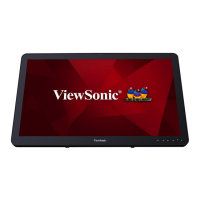
About Your VSD243 Smart Display
1312
3.5 Connecting to HDMI-compliant Devices via HDMI
Input
HDMI (High-Denition Multimedia Interface) is a compact audio/video
interface for transferring uncompressed digital audio/video data. You can
obtain the best user experience for video playback and gaming via HDMI.
VSD243 is equipped with an HDMI input for connecting to an external
HDMI-compliant device. You can connect your PC, notebook, Blu-ray player
or any other HDMI-compliant device to the VSD243 as a high-denition
video display.
How to begin
1
A type A HDMI to type A HDMI cable must be available.
2
Connect one end of the HDMI cable to the HDMI compliant source.
3
Connect the other end of the HDMI cable to the HDMI-IN port
located on the back of your VSD243 . Tap the SELECT
icon to
switch to HDMI- mode.
4
For a computer connection, always set the appropriate resolution.
The VSD243 supports resolution up to 1920x1080.


 To Next Page