TSGR-21 GAS Release Panel User Manual
Vighnaharta Technologies Pvt. Ltd. Page 24 of 43
5. Timer Setting
6. Factory Reset
Note:
❖ Use and keys to move the arrow cursor for the option. Use and keys to show the next
set of four menu options.
❖ Press ENTER key to select the pointed menu option to configure.
❖ Press Menu key to return to previous menu. If Menu key is pressed at programming menu level, panel
will return to normal mode.
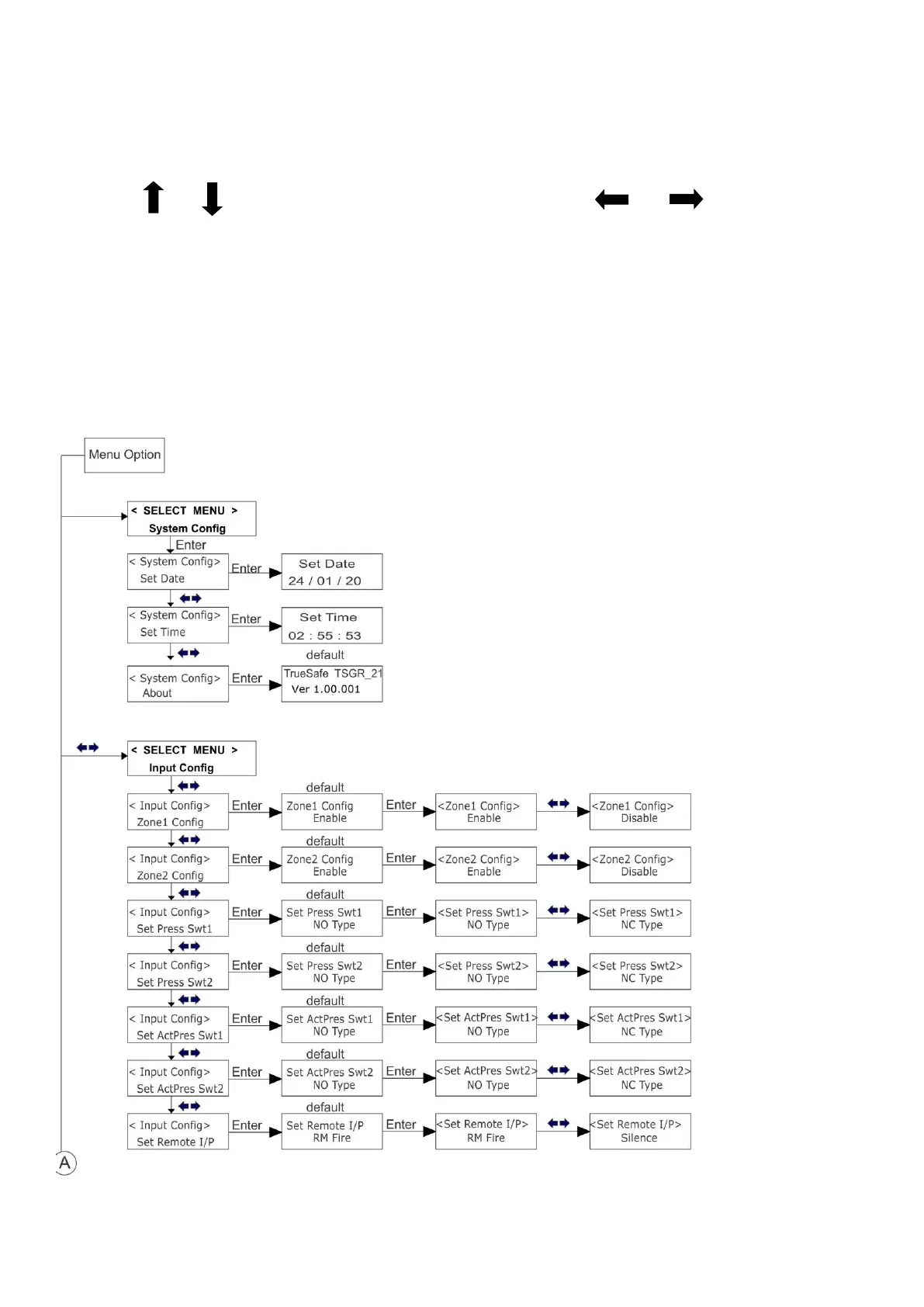
Menu Key Flow Diagram:



 To Next Page