TSGR-21 GAS Release Panel User Manual
Vighnaharta Technologies Pvt. Ltd. Page 32 of 43
4. System Operation
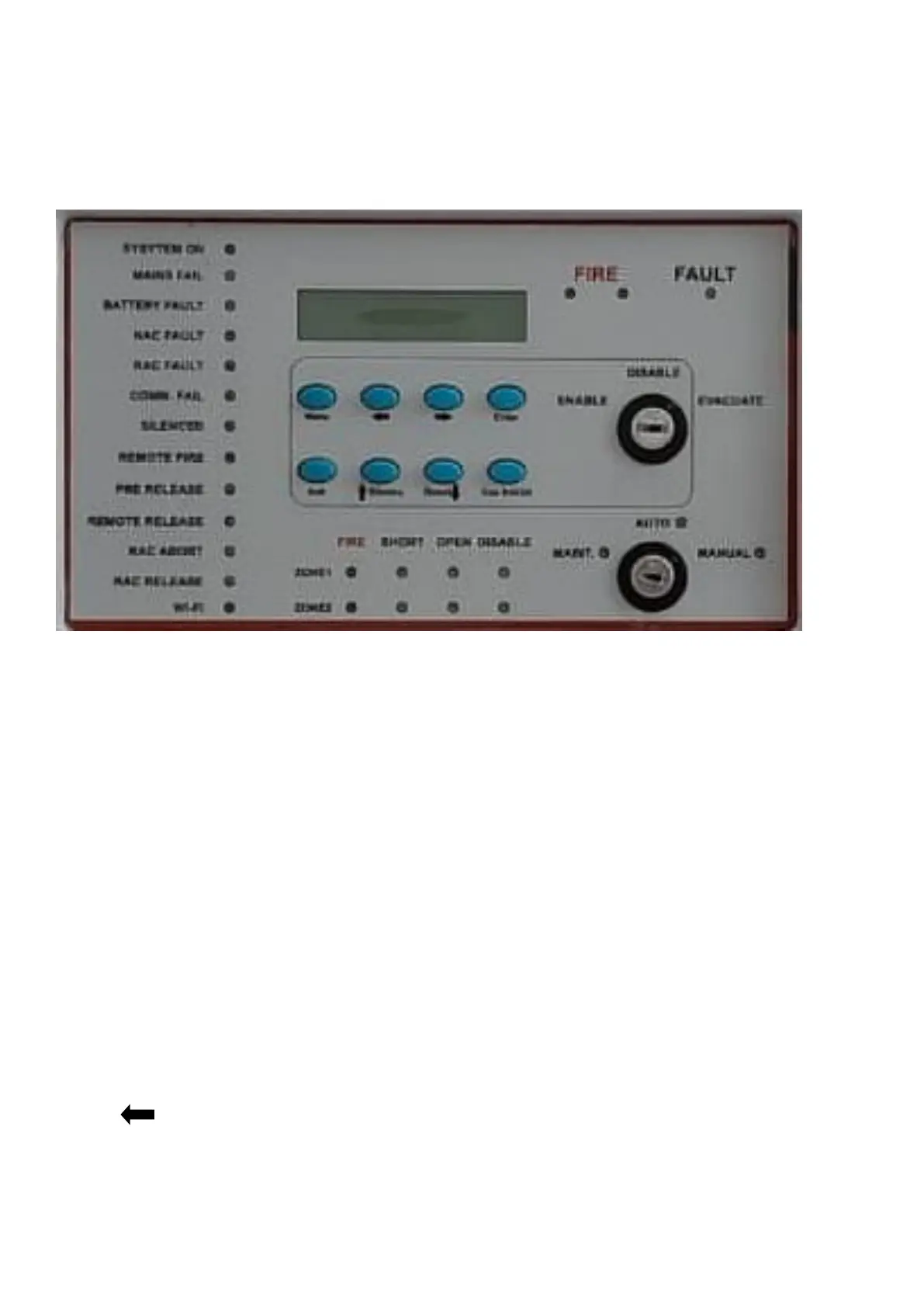
The following diagram shows front panel of TSGR-21 model.
4.1 Function keys
4.1.1 MENU key
Single press MENU key is generally available for any user. There are six options available under Menu key. Use
left and right key to scroll between these menus and use ENTER key to go in to particular menu. Press menu
key to exit or escape.
• System Config
• Input Config
• Output Config
• Event view
• Timer setting
• Factory Reset
4.1.2 ACK key
ACK key is used to acknowledge the system under fire, fault conditions. It is used to turn OFF the internal buzzer
only.
4.1.3 key: (Left Key)
Left key is used to move cursor left. Also use to scroll menus.



 To Next Page