31
1 - System Activation
The system turns on automatically when the vehicle’s contact key is on.
With contact key off and pressing for 4 seconds,
the system will turn on the display and show tire pressures but the system will not be operational i.e. it will
not inflate tires if needed.
2 - Display
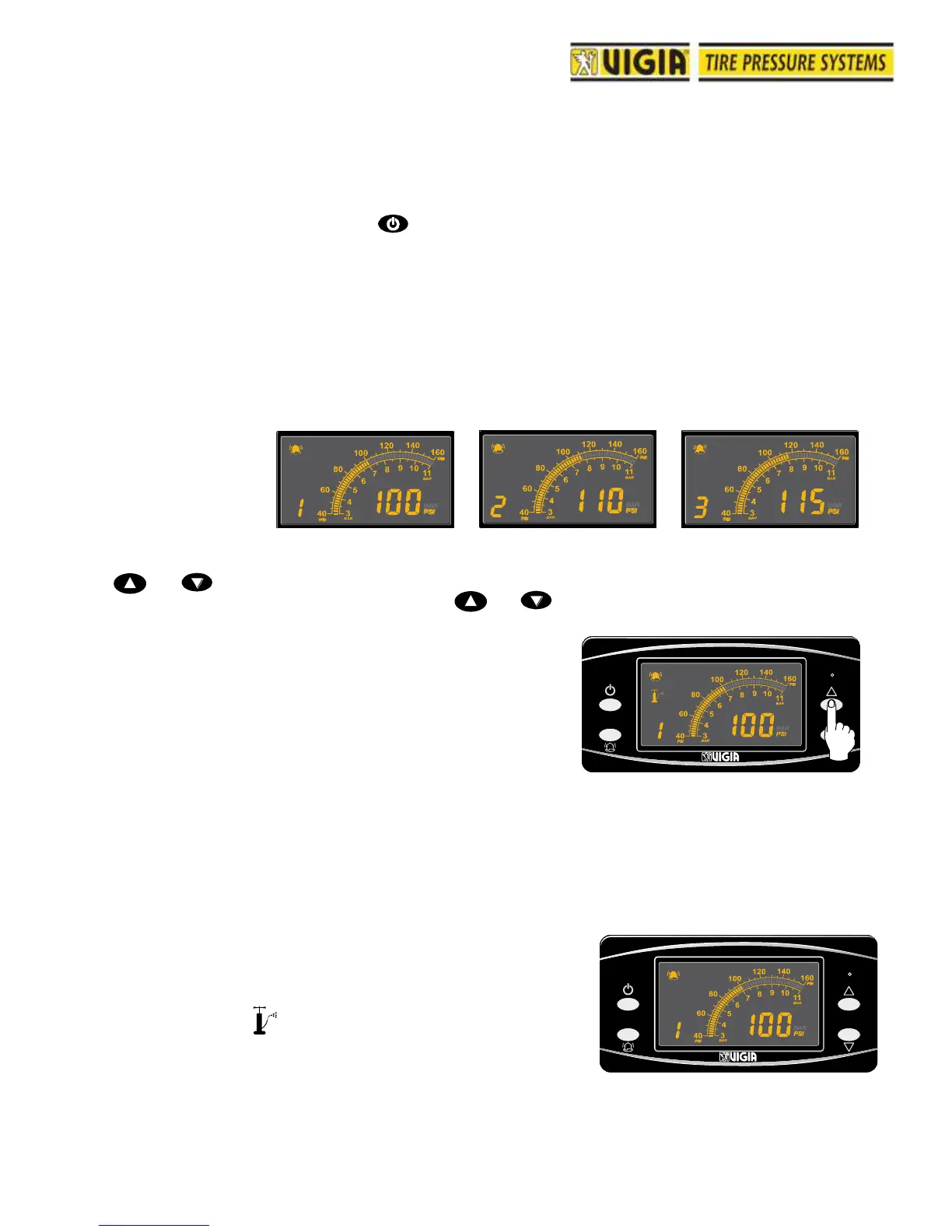
Tire pressures can be displayed in sequential or manual mode.
Sequential Mode (default setting): Each circuit pressure is displayed for 10 second sequentially.
Manual Mode: In Manual Mode circuit pressure and air tank pressure (P) can be displayed pressing
or .
To turn Manual Mode on or off press the key or for 3 seconds.
Important: The display goes into sequential mode
automatically when loss of pressure is detected and it
will show the circuit being inflated.
3 - Air Leaks
The Vigia System, if activated, will automatically start inflation to a circuit with 3 or more PSI differential
between actual and set tire pressure.
Depending on the magnitude of the air loss, the system will warn the driver differently:
a) 3 PSI drop takes more than 1.5 minutes to generate:
System will automatically compensate the air loss but no
alarm or warning will be produced.
b) 3 PSI drop takes 1.5 minutes or less to generate:
Automatic inflation, turns on intermittently and one beep
every 9 seconds.
10 SECONDS 10 SECONDS
10 SECONDS



 To Next Page