Back Panel Connectors
The Motherboard external IO connectors are attached to a metallic I/O shield. This
shield serves several purposes:
? It protects the sensitive Motherboard from any external EMC interference.
? It stops the computer from interfering with other electrical devices.
? It allows the Motherboard to be easily upgraded in the future without having to
resort to buying a whole new case. Simply change the I/O shield to match the
Motherboard.
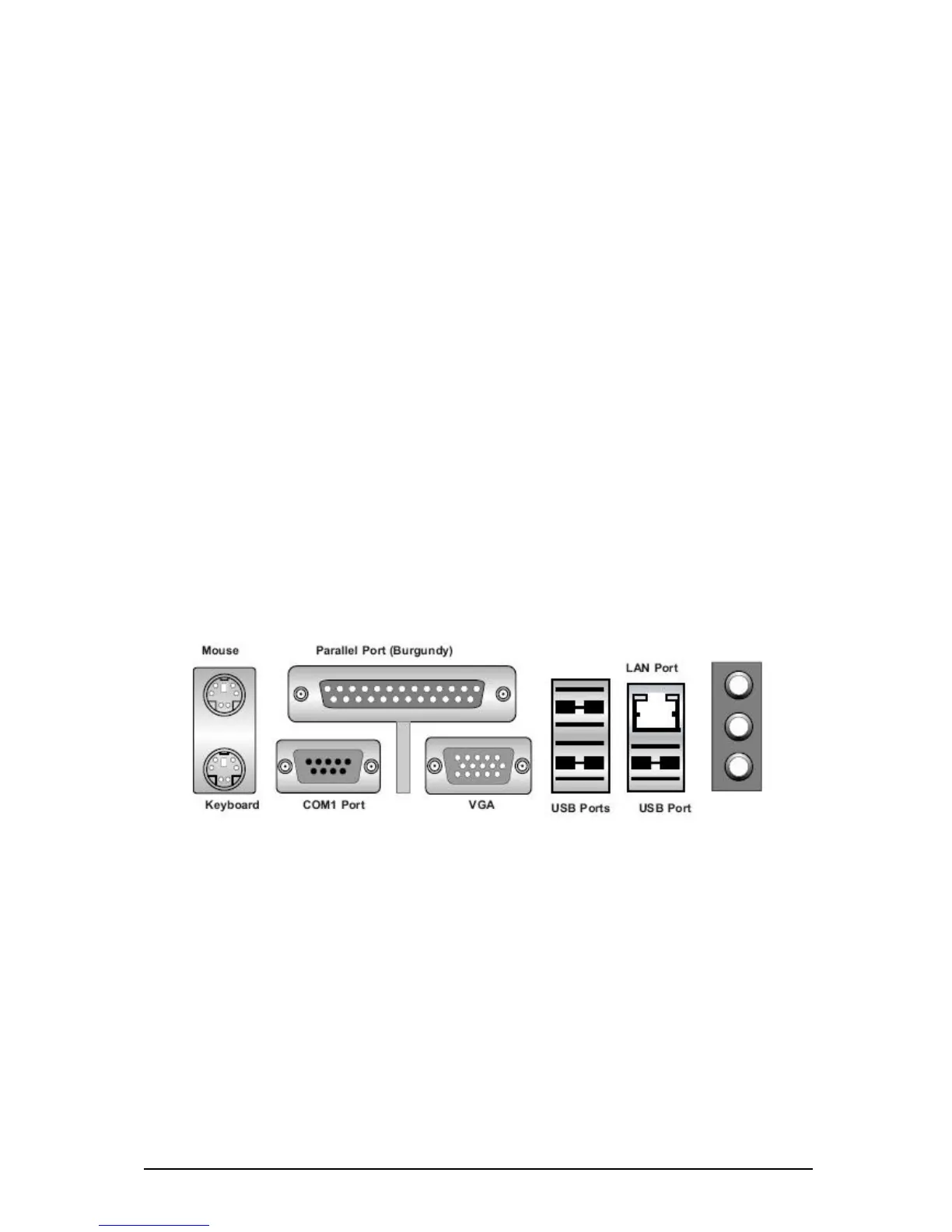
The I/O shield provides external access to PS/2 keyboard and mouse connectors as
well as two serial ports, one parallel port, two USB ports and two LAN Ports.
The input/output connectors are accessible at the back panel of the chassis as
shown in figure 5. The I/O ports are colour coded in conformance with the PC 99
specification.
Note: The mouse and keyboard must be plugged into their designated PS/2
ports. Power to the computer should be turned off before a keyboard or mouse
is connected or disconnected.
Figure 5: Back Panel Connectors



 To Next Page