This item allows the user to select the Boot Priority of Hard Disk Devices.
First Boot Device
This item allows the user to set the first boot-up device. The options are
"Floppy", "LS120", "HDD", "CDROM", "ZIP100", "USB-FDD", "USB-ZIP",
"USBCDROM", "USB-HDD", "LAN" and "Disabled".
Second Boot Device
This item allows the user to set the second boot-up device. The options are
"Floppy", "LS120", "HDD", "CDROM", "ZIP100", "USB-FDD", "USB-ZIP", "USB-
CDROM", "USB-HDD", "LAN" and "Disabled".
Third Boot Device
This item allows the user to set the third boot-up device. The options are
"Floppy", "LS120", "HDD", "SCSI", "CDROM", "ZIP100", "USB-FDD", "USBZIP",
"USB-CDROM", "USB-HDD", "LAN" and "Disabled".
Boot Other Device
If enabled, this option enables the BIOS to load the OS from another device rather
than the ones that have been specified as the first, second and third boot up devices.
The settings are "Enabled" and "Disabled".
Exit
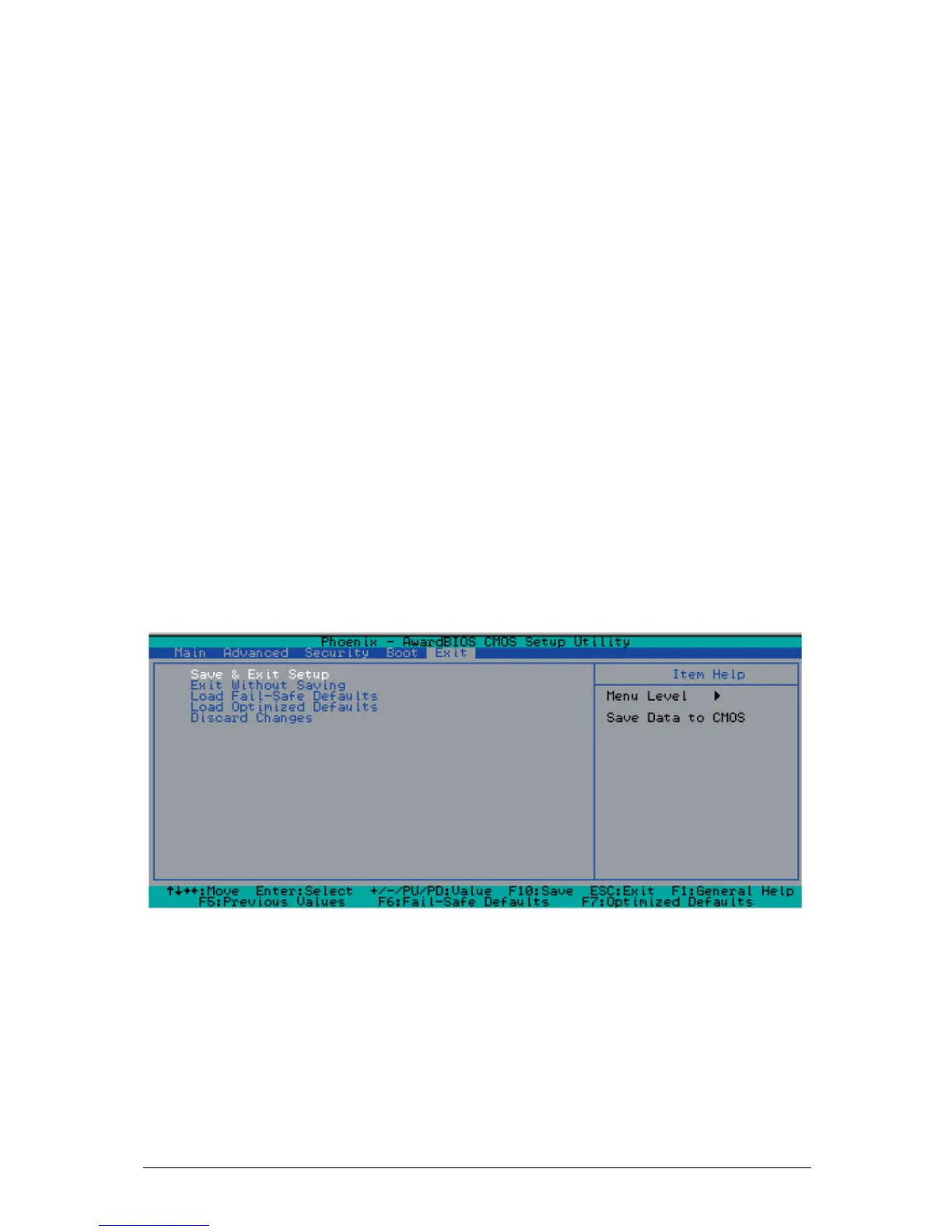
Choose Exit from the Award BIOS main menu with the Left/Right arrow keys. You
should see the following display:
Figure 18: Save & Exit Setup
Save & Exit Setup
When the item "Save & Exit Setup" is highlighted, press <Enter> to save the
changes you've made in the BIOS program (CMOS) and exit. Your system should,
then, continue with the boot-up procedure.
Exit without Saving



 To Next Page