Need help?
Do you have a question about the Viglen BX130 and is the answer not in the manual?
European standards for product compliance.
Explains Electromagnetic Compatibility (EMC) and RF energy.
Details Viglen's testing facilities and compliance guidelines.
Lists registered trademarks and acknowledgements.
Disclaimer on documentation quality, performance, and vendor liability.
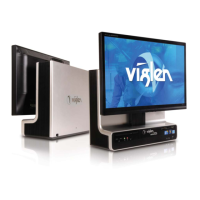
Describes chassis and motherboard features of the Viglen BX130.
Details the various components on the system board.
Provides a concise list of the system's key features and specifications.
Introduces the purpose and use of jumpers on the motherboard.
Provides step-by-step instructions for CPU installation and replacement.
Guides the user through memory module installation and removal.
Instructions for replacing the system's CMOS battery.
A step-by-step guide to diagnose and resolve system issues.
Explains various error codes and messages encountered during system operation.
Defines the BIOS and its role in system initialization.
Details how to access and navigate the BIOS setup utility.
Steps to prepare before upgrading the BIOS.
Instructions on how to get the BIOS upgrade software.
Details the IDE interface and its operational modes.
Pin definitions for various motherboard connectors.
Explains system power management features and ACPI support.
Defines the Basic Input/Output System.
Defines the Central Processing Unit.
Defines Integrated Drive Electronics.
 General
| Optical Drive | DVD-RW |
|---|---|
| Network | Gigabit Ethernet |
| Memory | 4GB |
| Hard Drive | 500GB HDD |
| Operating System | Windows 7 Professional |
| Front Ports | 2 x USB 2.0 |
| Rear Ports | Audio In/Out |


 To Next Page