VIKING TECHNICAL SUPPORT 1.800.908.0884
38
TROUBLESHOOTING - STANDARD ECU
LCD Display References
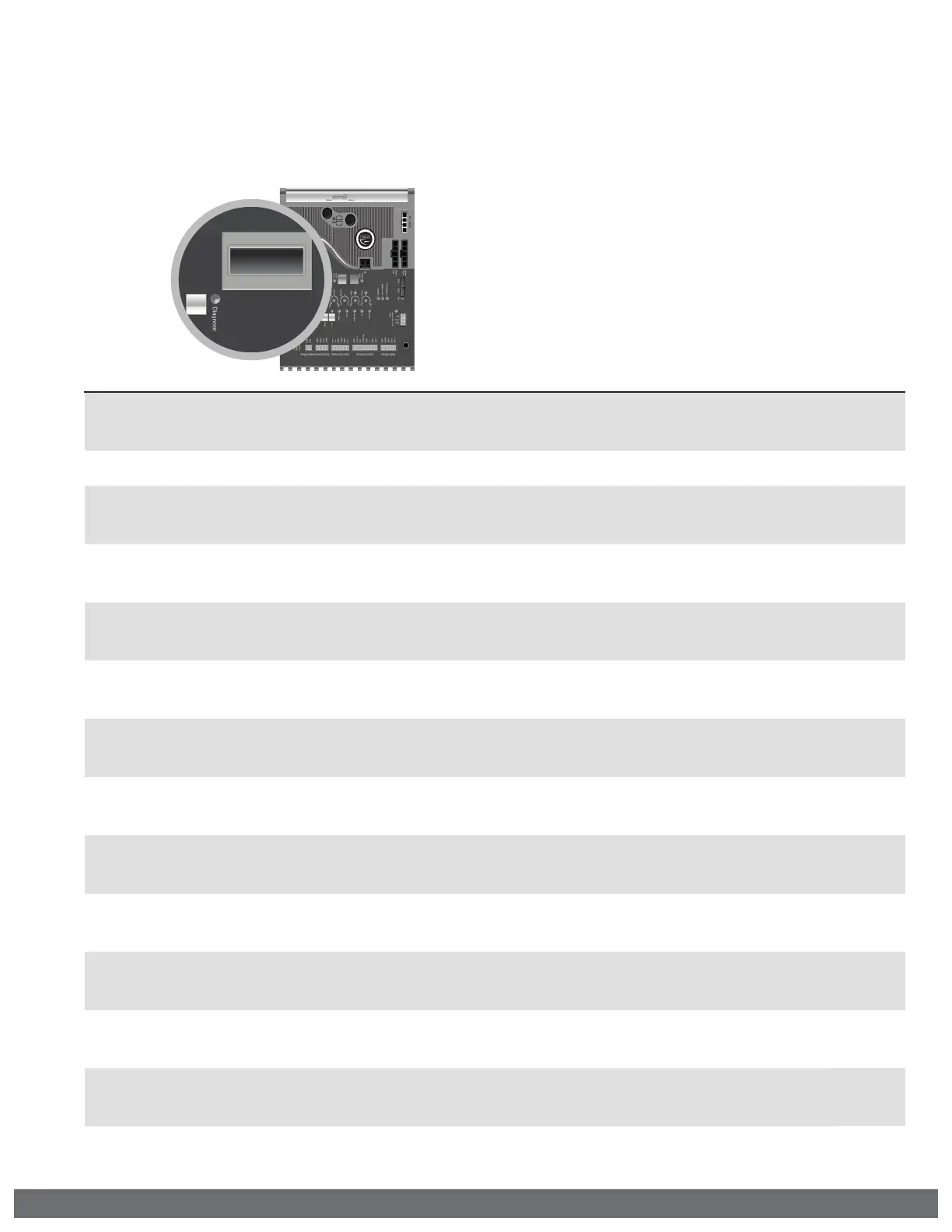
The Control Board is equipped with a LCD Display that provides operator information,
current conditions, settings, diagnostics and error messages. Use the table below to
identify the corresponding “TS Ref#”. Refer to pages 36-41 for further troubleshooting.
1.
Error Messages will be displayed rst.
2.
The ”Diagnose” LED will ash consecutively
indicating how many Error Messages are
available.
3.
Press the Diagnose button to manually
scroll through all of the Messages.
LCD MSG Meaning
Page 41
TS Ref #s
MODEL
G5/X9
Indicates the Model of the unit. G-5 or X-9
6
System Status Messages
GATE IS
IDLE
Gate is stopped between limits.
GATE IS
OPENING
Gate is opening.
GATE IS
CLOSING
Gate is closing.
GATE IS
OPENED
Gate is at the limit open position.
GATE IS
CLOSED
Gate is at the limit close position.
STOP BY
OBSTRUCT
Primary or Single motor has stopped due to an obstruction of the gate system.
Also refer to the “ODS” LED. (pg 24, 26, 36 @ #4, 37 @ #18)
11, 12,
13
STOP BY
OVERLOAD
Primary or Single motor has stopped due to an overload of the gate system.
Also refer to the “ODS” LED. (pg 24, 26, 36 @ #4, 37 @ #18)
11, 12
OVERLAP
TIMING
Gate is waiting for the overlap time.
HOLDING
__ SEC
Gate is at the limit open position and timing to close - The display shows the
actual time left before closing.
STOP BY
ODS S
Secondary motor has stopped due to an obstruction sensor event. Also refer to
the “DIAGNOSE” LED on the Secondary Module. (pg 24, 26, 36 @ #4, 37 @ #S1)
11, 12,
13
UL LEARN
UL_ RO_
Indicates the number of connected Monitored Entrapment Protection Sensors
that are being monitored. NO LEARN = no sensors learned. (pg 6-7, 22)
RED CONN
UNPLUGED
The Motor Connector is not plugged into the red Open Left or Open Right
socket at the Control Board. (pg 20)
21


 To Next Page