© 2011 Viking Preferred Service
12
Diagnostics
Entering Programming Mode
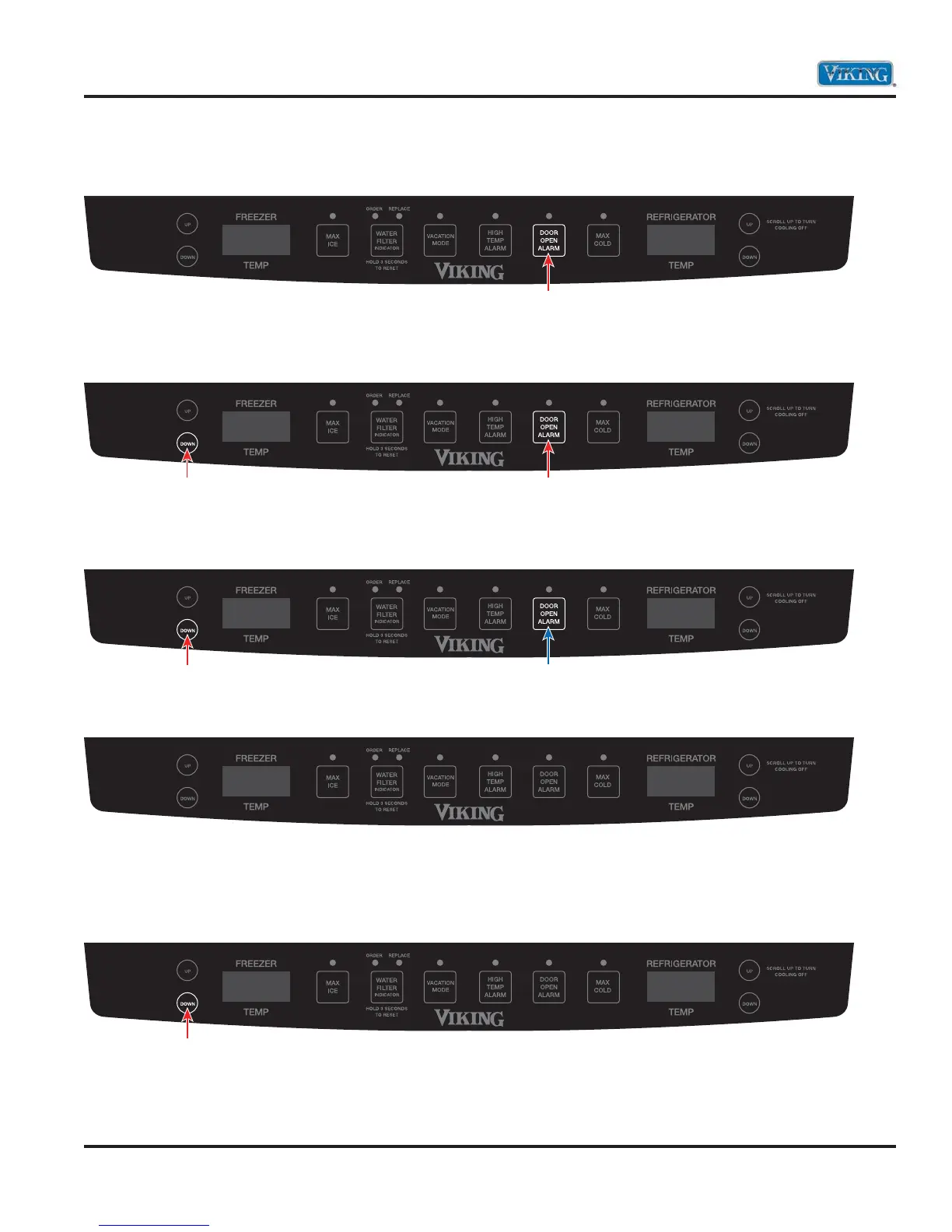
1. Press and hold the “Door Alarm” keypad.
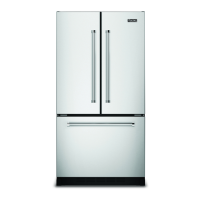
2. Within three seconds, press and hold freezer temperature “DOWN” keypad. Both keypads are now
being held in.
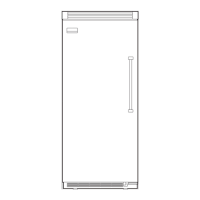
3. While still holding the freezer temperature “DOWN”, release the “DOOR ALARM” keypad and wait
three seconds.
4. When entered successfully, the freezer temperature screen will display PE.
5. Entry is confirmed by pressing the freezer temperature “DOWN” keypad. The refrigerator temperature
screen will display a three digit number. These three numbers are the current programming code for this
unit. The example below shows code 010.
Note: There is a decimal to the right of the last number. This will be explained later.
Press and Hold
HoldPress and Hold
ReleaseHold
PE
PE 010.
Press



 To Next Page