© 2011 Viking Preferred Service
31
Service Diagnostics and Procedures
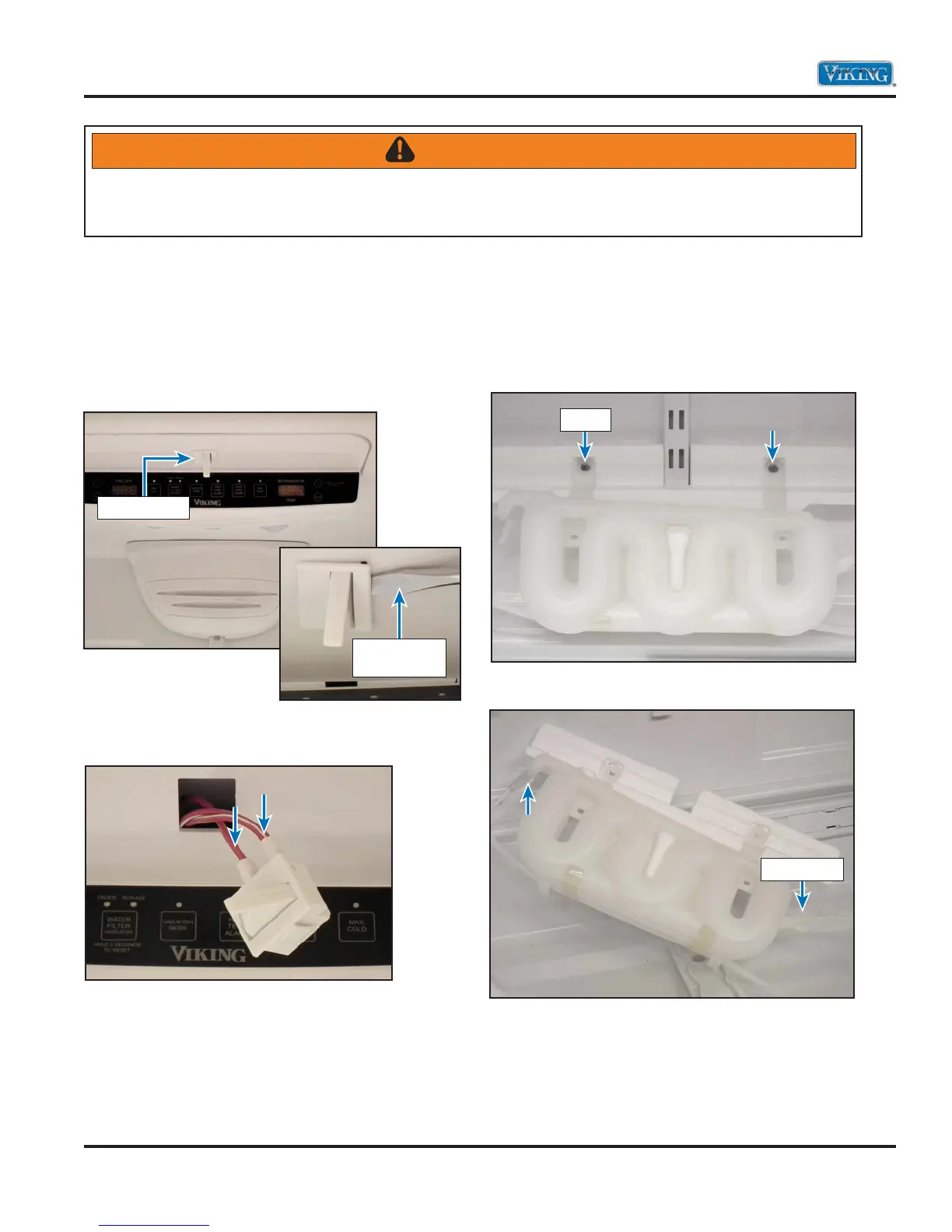
Refrigerator Light Switch
To access the refrigerator light switches:
1. Open door and locate the light switch.
2. Use a flat blade to depress light switch securing
tabs.
3. Pull switch into refrigerator compartment and
disconnect wiring.
4. Repair or replace switch.
5. Reverse procedure to reinstall.
Water Tank
To access the water tank:
1. Open door and remove shelves and drawers.
2. Remove 1/4” screws securing water tank.
3. Disconnect tank and water lines
4. Remove water tank.
5. Reverse procedure to reinstall.
WARNING
To avoid risk of electrical shock, personal injury, or death, disconnect electrical power to unit using power
switch before servicing. Wires removed during disassembly must be replaced on proper terminals to insure
correct earth ground and polarization. After servicing, reconnect power using power switch.
Light Switch
Screwdriver
Blade
Screw
Water Line



 To Next Page