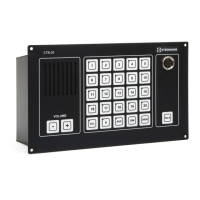
Installation & User Manual System CTB-100V
45
Problems when operating from substation or parallel station connected to an operation panel
Pos. Failure event Description / Indication Recommended Action
15 Operation from an substation
can not be done
No flashing green LED and a signal in
the CTB monitor loudspeaker for the
selected line.
1. Check cable and terminal block
in the substation or plug box.
2. Move this terminal block to a
another ext. number.
If still problems, the substation
have to be repaired
If operating is ok, the CU unit
have to be repaired
16 Problems with high
background sound
Nearby the substation Replace current substation with
substation with headset or with
external loudspeaker STB-2
Or adjust Master volume line 1-5
6-10, 11-15 or 16-20. (Ref.
Document dwg.CU-100_lo and
CU-200_lo)
17 Operation from an parallel
station can not be done
Normal operation from the CTB unit. 1. Check cable and connections
between the parallel station and
the central unit.
2. Check microphones
If still problems, the parallel
station have to be repaired
Problems when operating from All call stations. Ref DNV C500 Nautical Safety
Pos. Failure event Description / Indication Recommended Action
18 Operation from one all call
station can not be done.
No audio in all other operation panels or
substations.
1. Check connection between the
unit and the junction box.
2. If 24V DC voltage is measured
in the all call station, the unit have
to be repaired. Ref. dwg. CTB-cc6
19
20
Operation from all
all call
station can not be done.
No audio in all other operation panels or
substations.
1. Check connection between the
junction box and the central unit,
and specially the terminal block
connected to X6. Ref. dwg. CTB-
cc6 If still problems, the central
unit have to be repaired.
Sound pressure level does not
fulfil the requirement.
Adjust trim potentiometer in the
central unit marked “adj. aux.
input signal” to satisfactorily
level.see chapter 3.8.2
Note! If recommended actions above do not succeed, further action has to be done in
cooperation wath or by Zenitel personel



 To Next Page