Installation & User Manual System CTB-100V
24
4.1.8 AUX function
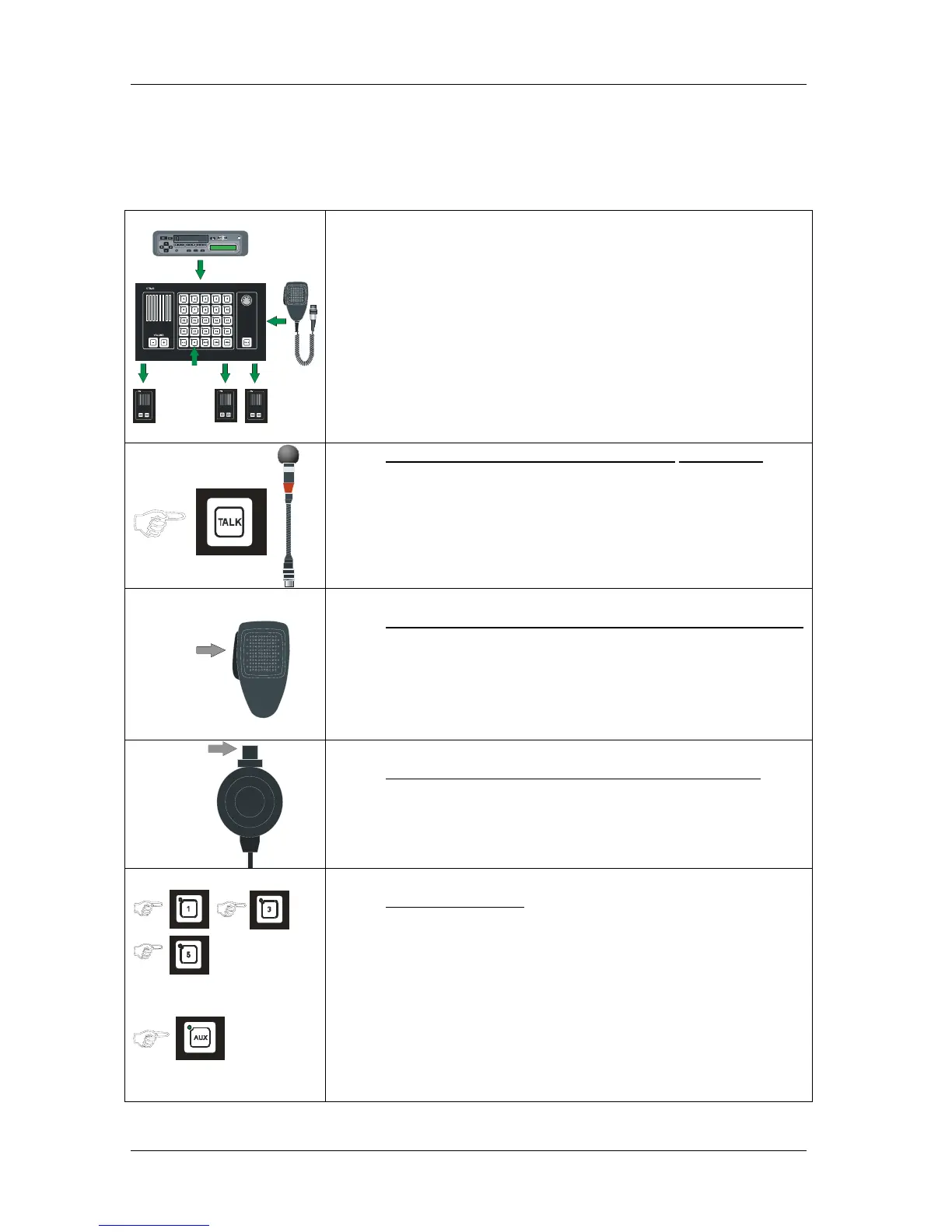
An external signal connected to the AUX input of the system, will be transferred to any selected station or group
of stations if the AUX button is selected. (Example: Entertainment and VHF signal.)
Other functions with higher priority will override this function.
AUX
• Press desired line push buttons
• Press the AUX button,
The AUX transferring is set up. Indicated by steady green light.
To override this function with gooseneck microphone
• Press the TALK button on the operation panel.
Speak clearly into the microphone. When the TALK button is released
the system will be in AUX mode again.
PTT SWITCH
ETC-1-TB
To override this function with hand microphone ETC-1-TB
• Press the PTT SWITCH on hand microphone.
Speak clearly into the microphone. When the TALK button is released
the system will be in AUX mode again.
PTT SWITCH
To override this function with hand microphone P-66
• Press the PTT SWITCH..
Speak clearly into the microphone. When the PTT SWITCH button is
released the operation panel will be in AUX mode again.
To end the function
• Press line and AUX button once more to end the transferring.


 To Next Page