Installation & User Manual System CTB-100V
36
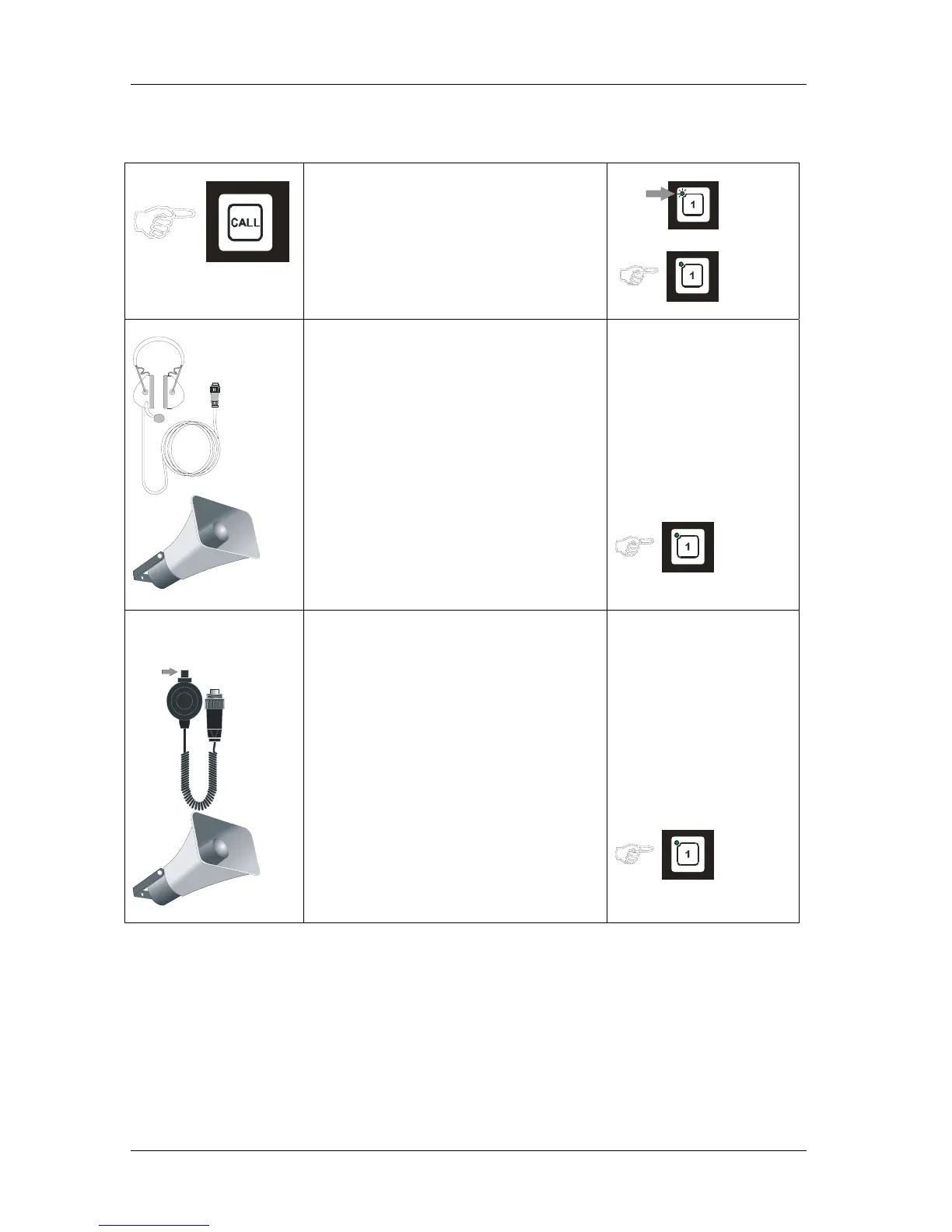
4.3.3 Operation from STB-3
Substation Operationpanel
• Press the CALL button.
• Indicated with flashing green LED
and a signal in the operation panels
speaker for selected line.
• Operator of the operation panel press
respective LINE button, the call is set
up. Indicated by steady green light.
With headset P-MT7
10m cable
• Speak clearly into the
Boom microphone on the headset
• Receive communication from the
operation panel in the headphones.
(And in the loudspeaker if installed)
• Operator of the operation panel end
the call by pressing the LINE button
once more .
With microphone P-66
PTT SWITCH
• Press the PTT SWITCH on the
microphone.
Speak clearly into the microphone.
When PTT SWITCH button is
released the microphone will be in
listening mode, and you will hear the
communication from the operation
panel in the loudspeaker
• Operator of the operation panel end
the call by pressing the LINE button
once more .


 To Next Page