Installation & User Manual System CTB-100V
35
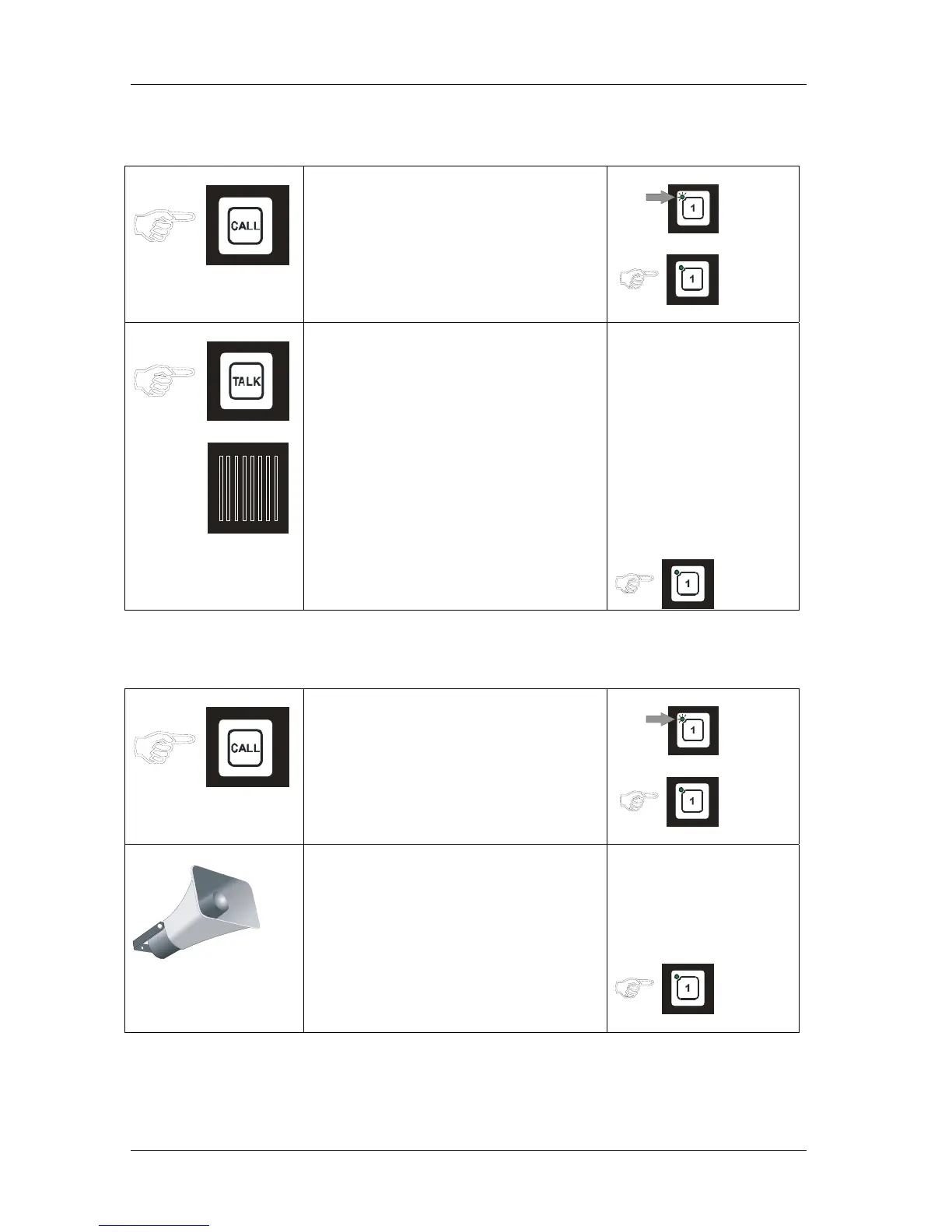
4.3.1 Operation from STB-1
Substation Operationpanel
• Press the CALL button.
• Indicated with flashing green LED
and a signal in the operation panels
speaker for selected line.
• Operator of the operation panel press
respective LINE button, the call is set
up. Indicated by steady green light,
Loudspeaker
• Press TALK button .
• Speak clearly into the re-entrant
loudspeaker. When TALK button is
released the STB-1 will be in listening
mode, and you will hear the
communication from the operation
panel.
• Operator of the operation panel end
the call by pressing the LINE button
once more .
4.3.2 Operation from STB-2
Substation Operationpanel
• Press the CALL button.
• Indicated with flashing green LED
and a signal in the operation panels
monitor loud speaker for selected line.
• Operator of the operation panel press
respective LINE button, the call is set
up. Indicated by steady green light in
the operation panel
• Speak clearly into the
re-entrant loudspeaker for
communication to the operation panel,
and receive communication in the same
loudspeaker.
• Operator of the operation panel end
the call by pressing the LINE button
once more .


 To Next Page