25
Contents
Previous
Page
First
Page
Next
Page
Previous
View
14.3 On the underside of the head, remove three screws (4) securing cover plate (3).
14.4 Operate the pan brake lever (7) from the OFF to the ON position.
14.5 If brake pressure is not felt after approximately one-third of the lever travel, turn the locating pin
(5) clockwise until this is achieved.
14.6 Operate the pan brake lever (7) to the OFF position and ensure that the head is free to rotate.
14.7 Refit cover plate (3) and secure with three screws (4).
Repositioning the wedge adaptor
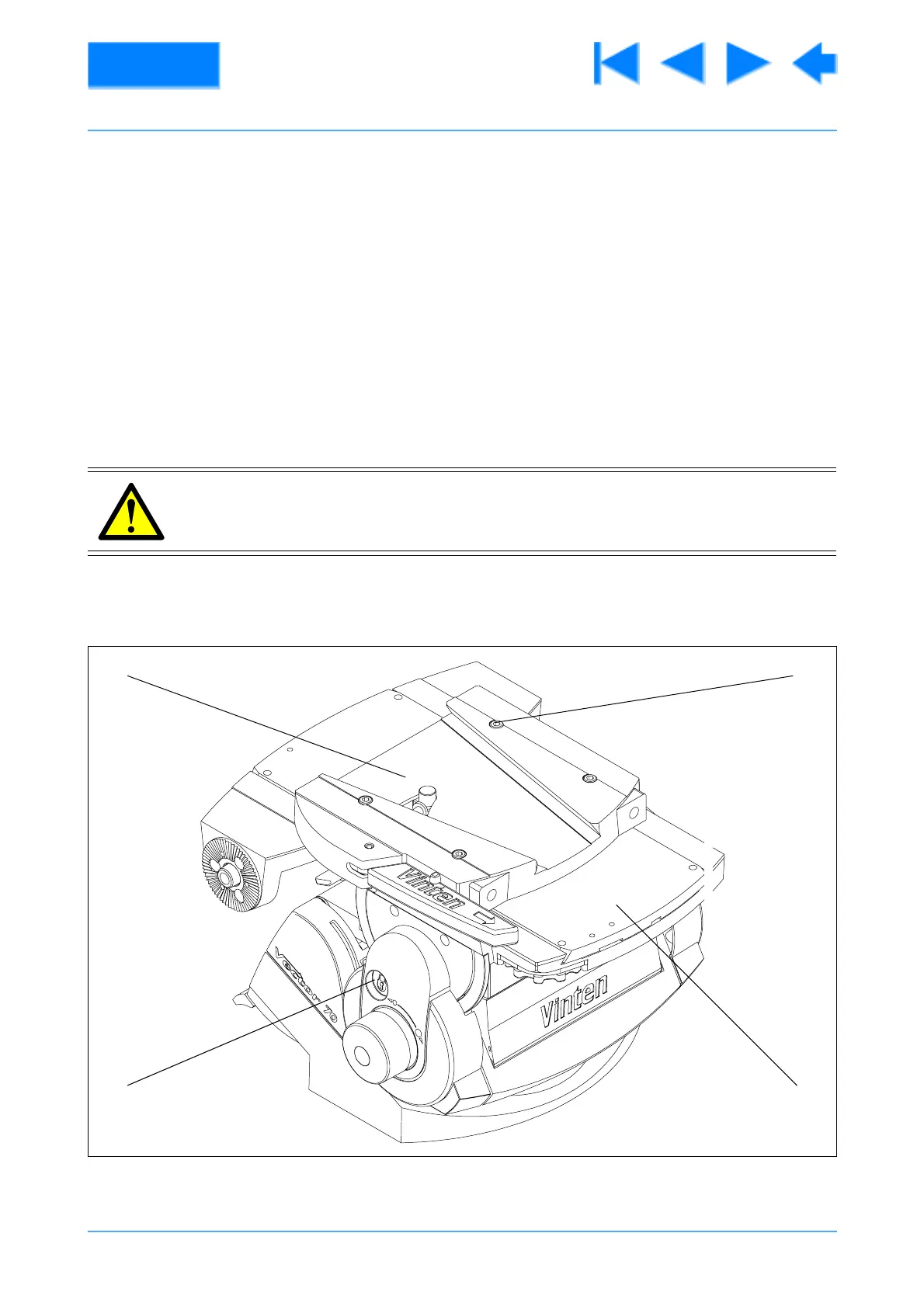
15 The wedge adaptor is secured by four cap head screws which pass through the wedge adaptor into the
sliding plate.
16 To reposition the wedge adaptor (Fig 4.5):
16.1 Engage the centre lock (3) and remove the load.
WARNING!: Over-long screws will prevent the sliding plate from operating. Always use
the screws provided (M6 x 30mm).
Fig 4.5 Repositioning the wedge adaptor
(1)(4)
(2)(3)
V70RIGHT









 To Next Page