© 2005 Directed Electronics—all rights reserved
3377
3.
SSeelleecctt tthhee rreecceeiivveerr cchhaannnneell..
Press and release the Valet/Program switch the number of
times necessary to access the desired channel. Once you have selected a channel, press
and
HHOOLLDD
the Valet/Program switch once more. The siren will chirp and the LED will blink
the number of times corresponding to the channel that has been accessed.
CChhaannnneellss TTwwoo——1111::
These channels can be used to program the remote control with customized button configu-
rations. This can be useful for users with multiple vehicles that have identical systems.
CChhaannnneell TTwweellvvee::
If any transmitter button from a known transmitter is programmed to Channel Twelve, all trans-
mitters will be erased from memory and will revert to the default feature settings. (See
Features Menu
section of
this guide.) This is useful in cases when one of the customer's transmitters is lost or stolen. This will erase any
lost or stolen transmitters from the system's memory. It can also be used to start from scratch if the transmitter
buttons were programmed incorrectly.
4.
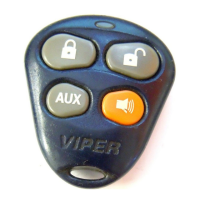
PPrreessss tthhee ttrraannssmmiitttteerr bbuuttttoonn..
While
HHOOLLDDIINNGG
the Valet/Program switch, press the button
from the transmitter that you wish to assign to that channel. The unit will chirp indicat-
ing successful programming. It is not possible to teach a transmitter button to the system
more than once.
CCHHAANNNNEELL NNUUMMBBEERR FFUUNNCCTTIIOONN WWIIRREE CCOOLLOORR
1 Auto Learn Standard Configuration
**
(default)
2 Arm only
3 Disarm only
4 Silent Mode™/Remote Valet/Trunk Release RED/WHITE
5 Remote Start
6 Channel 4 VIOLET/BLACK
7 Channel 5 WHITE/BLACK
8 Channel 6
9 Short Run/Turbo
10 Timer Mode
11 Arm/Disarm/Panic
12 Panic only
13
Defogger Control
14 Delete all transmitters**
**NNOOTTEE::
For Auto Learn Configurations, see Transmitter Configurations section of this guide.
*
**NNOOTTEE::
If any button from a known transmitter is programmed to Channel 13, all trans-
mitters will be erased from memory and will revert to the default feature settings. This
is useful in cases where the customer's transmitters are lost or stolen.


 To Next Page