USER MANUAL
16
ENGLISH
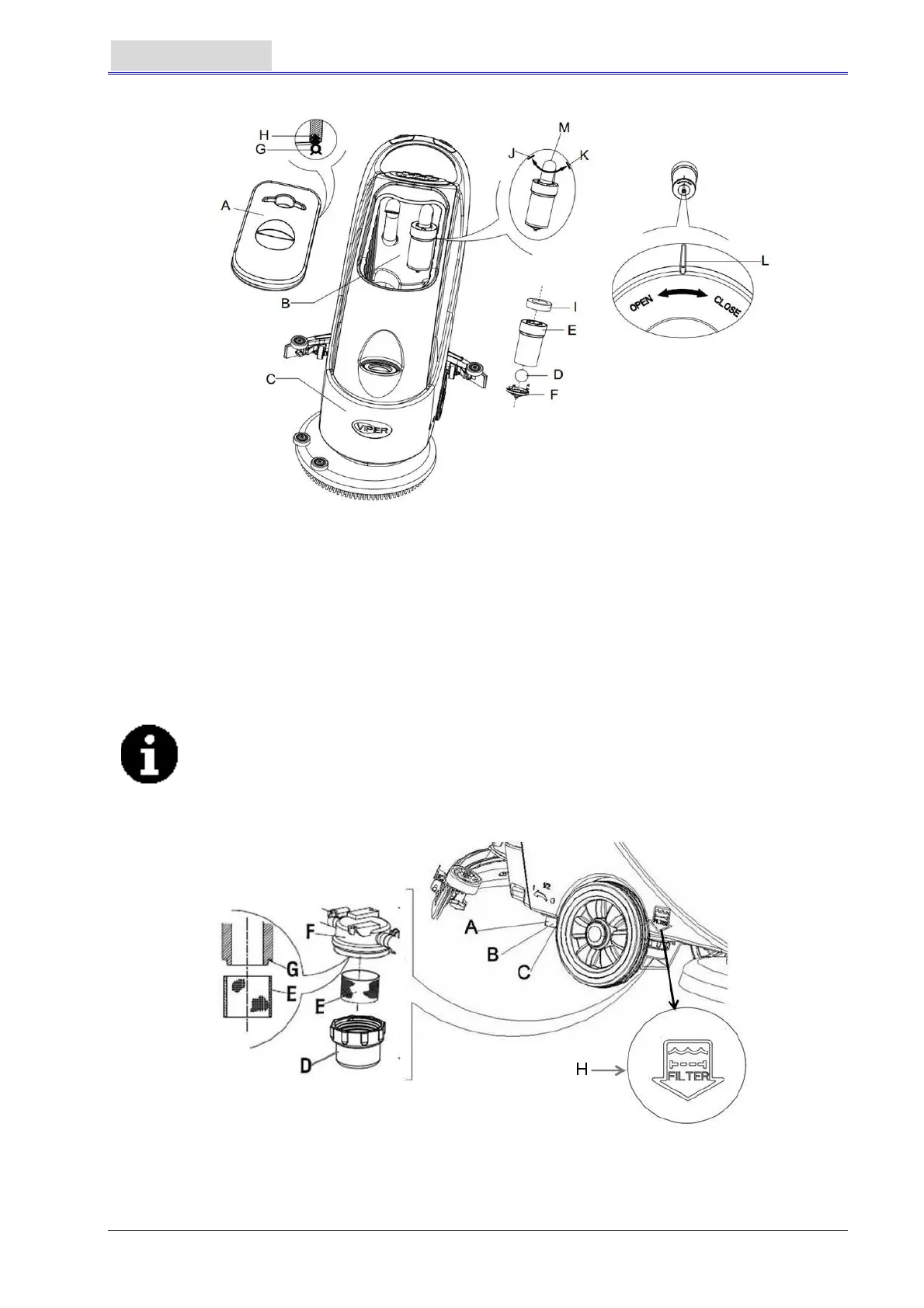
Figure 16
SOLUTION FILTER CLEANING
1. Drain all the water from Solution tank in the way as introduced in related sections.
2. Move the machine to a flat and smooth ground.
3. Press the power switch (41) to the “O” position to turn off the machine.
4. Turn off the draining ball valve (A, Figure 17) (located at the bottom of the machine, behind the
wheels). Position B ball valve open, and position C ball valve closed.
5. Take off the transparent lid (D), and then take off the filter (E), and install them onto the filter box
(F) after cleaning.
NOTE
The filter (E) must be accurately installed onto the position of the projection (G).
6. Open the draining ball valve (A).
Figure 17
Filter Mesh Mark


 To Next Page