EasyManua.ls Logo

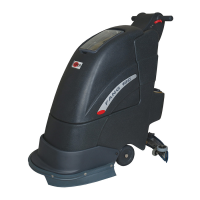
Viper Fang15B - User Manual

Viper Fang15B
30 pages
Print Icon
To Next Page IconTo Next Page
Loading...
15-Inch
VF89027-US REV.01
2013-07-17
FANG15B
www.usviper.com

Questions and Answers

  • S
    Sean GallagherSep 2, 2025
    How to fix a Viper Scrubber that doesn't turn on?
    • B
      Bruce FisherSep 2, 2025
      If your Viper Scrubber doesn't turn on and the indicator light doesn't illuminate, it could be due to a few reasons: - The battery connector might be disconnected; connect it. - The batteries might be completely discharged; charge them. - The power line might be disconnected from the power source; connect it.
  • Q
    qleonAug 31, 2025
    Why is the suction power insufficient in my Viper Scrubber?
    • B
      Brittany PalmerAug 31, 2025
      Insufficient suction power in your Viper Scrubber can stem from several causes: - The recovery tank might be full, so empty it. - The hose may be disconnected from the squeegee; ensure it's connected. - The vacuum assembly could be clogged; clean or check it. - The squeegee might be dirty, or the blades are worn or damaged; clean and check the squeegee. - The recovery tank may not be limited; lock the latch. - The tank cover may not be properly closed, or the gasket is damaged; close the cover properly or replace the gasket. - The squeegee adjustment piece may not be set at an appropriate position; adjust the screw nut to the appropriate position.
  • Y
    youngtimothyAug 29, 2025
    What to do if vacuum motor indicator lights (53) flash on Viper Floor Machine?
    • G
      Gary HernandezAug 30, 2025
      If the vacuum motor indicator lights (53) flash on your Viper Floor Machine, it means the vacuum motor is overloaded. Check the vacuum motor.
  • C
    caitlinvegaAug 27, 2025
    What does it mean if the brush indicator light (52) flashes on my Viper Floor Machine?
    • H
      Heather AndersonAug 27, 2025
      If the brush indicator light (52) flashes on your Viper Floor Machine, it indicates that the deck motor is overloaded. Try using less aggressive brushes suitable for the floor you are cleaning. Another possibility is that there's an obstruction preventing the brush from rotating, so you should clean the brush hub.
  • S
    Sharon HunterAug 26, 2025
    Why does my Viper Floor Machine squeegee leave marks?
    • W
      williamjohnsonAug 27, 2025
      If the squeegee on your Viper Floor Machine is leaving marks on the floor, it could be due to debris under the squeegee blades, which you should remove. Alternatively, the squeegee blades may be worn, chipped, or torn, in which case you should replace them.
  • J
    jay20Aug 25, 2025
    What to do if Viper Floor Machine indicator light (51) displays red?
    • S
      Shelby WoodardAug 25, 2025
      If the indicator light (51) on your Viper Floor Machine displays red, it means the batteries are discharged. You should charge the batteries.
  • M
    Mark SandovalAug 22, 2025
    Why is my Viper Floor Machine not picking up water?
    • J
      johnsonnathanAug 22, 2025
      If your Viper Floor Machine isn't picking up water, several factors could be the cause. The recovery tank might be full, so you should empty it. The hose could be disconnected from the squeegee; if so, reconnect it. The vacuum assembly could be clogged, requiring cleaning or inspection. Also, the squeegee might be dirty, or the blades could be worn or damaged, so you need to clean and check it. Ensure the recovery tank is latched closed and that the tank cover is properly closed with an undamaged gasket.

Summary

SAFETY PRECAUTIONS

Safe Operation Guidelines

Covers DO NOT OPERATE, BEFORE OPERATING, WHEN USING, and BEFORE LEAVING/SERVICING machine instructions.

Servicing Safety

Safety instructions specific to performing maintenance on the machine, including parts and battery handling.

Critical Safety Warnings

Key alerts concerning battery gases, flammable materials, and potential explosion risks.

MACHINE SET UP & INSTALLATION

UNCRATING MACHINE

Instructions for unpacking the machine, checking for damage, and verifying contents.

Battery Installation and Disassembly

Step-by-step guide for safely removing and installing batteries, including a critical warning.

Setup and Pre-operation Checks

Includes brush/pad driver installation and pre-operation checks like squeegee and battery status.

Squeegee Installation

Detailed steps for installing the squeegee, including loosening knobs and tightening securely.

MACHINE OPERATION

Tank Management

Procedures for filling and draining solution and recovery tanks, including temperature and detergent guidelines.

Machine Operation Steps

Sequence for setting up handles, lowering squeegee, turning on power/motors, and starting cleaning.

MAINTENANCE

After-Use and Storage Procedures

Actions required after scrubbing and for storing the machine, including brush removal and battery disconnection.

Scheduled Maintenance Table

Overview of maintenance tasks, their frequency, and responsible party.

Battery Charging Procedures

Guidance on when to charge batteries and important safety precautions for charging.

Squeegee Maintenance

Instructions for cleaning squeegee blades and checking them for wear or damage.

Brush;Pad Driver Cleaning

Steps for cleaning brushes and pad drivers, including safety precautions for sharp debris.

Recovery Tank Maintenance

Maintenance procedures for the recovery tank, including cleaning and checking gaskets.

TECHNICAL DATA

Control Panel Identification

Identification of buttons and indicators on the control panel (items 46-54).

TROUBLESHOOTING

Viper Fang15B Specifications

General IconGeneral
BrandViper
ModelFang15B
CategoryFloor Machine
LanguageEnglish

Related product manuals