EasyManua.ls Logo

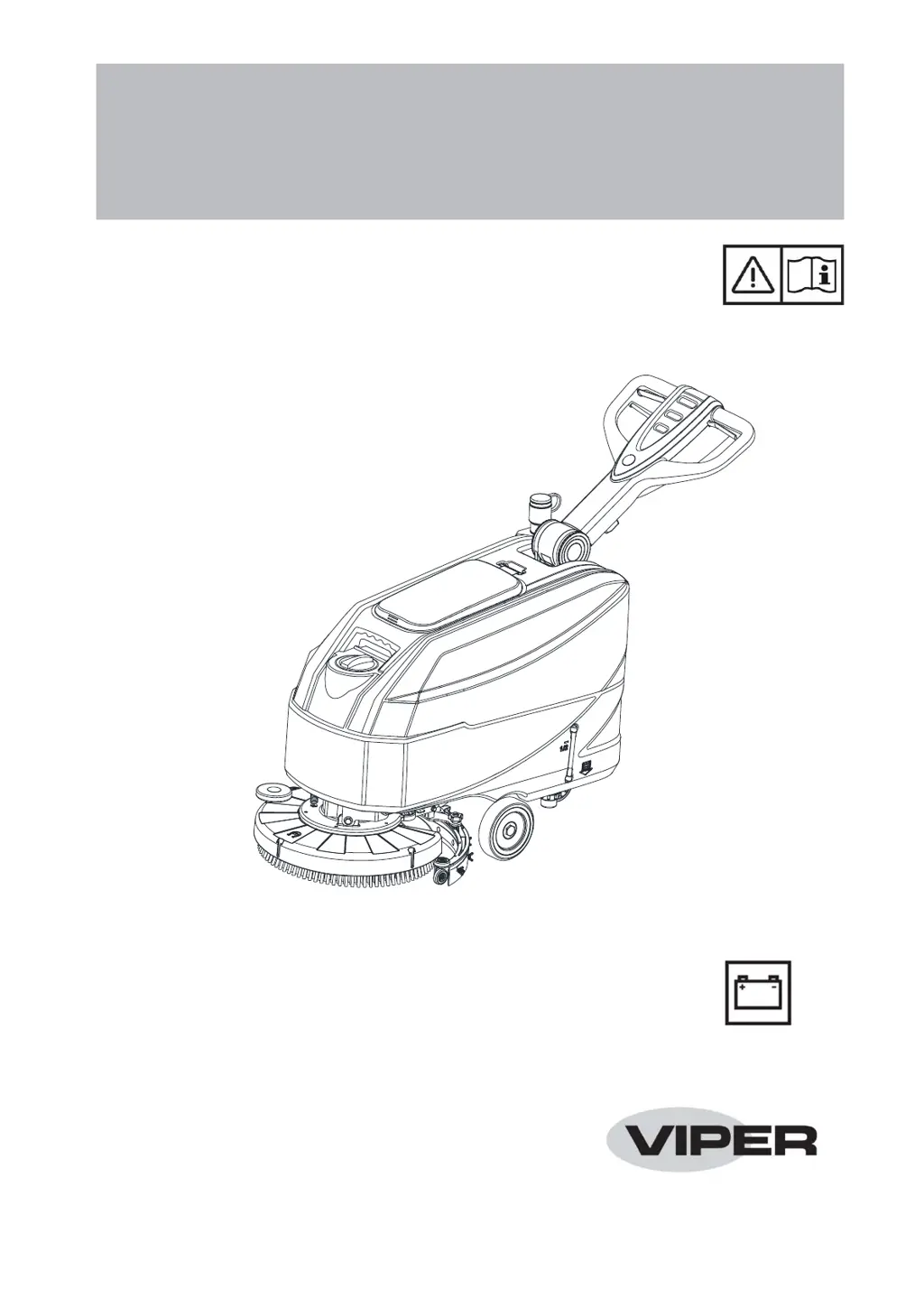
Viper AS4325B - User Manual

Viper AS4325B
52 pages
Print Icon
To Next Page IconTo Next Page
Loading...
AS4325B
INSTRUCTION FOR USE
(使用说明书)
Model No.(型号): 50000582
SP-VS15362 版本 A
2020.01.19

Table of Contents

Other manuals for Viper AS4325B

Questions and Answers

  • U
    uroyAug 17, 2025
    How to prevent Viper Vacuum Cleaner squeegee from leaving marks on the floor?
    • B
      Bradley RoseAug 17, 2025
      To prevent the squeegee from leaving marks on the floor, check for debris under the squeegee blades and remove them. If the squeegee blades are worn, chipped, or torn, replace them. Also, make sure that the squeegee has been adjusted with the knob.
  • C
    Christina HughesAug 20, 2025
    How to fix squeegee leaving marks on the floor with Viper AS4325B Floor Machine?
    • H
      Hannah McneilAug 20, 2025
      If the squeegee on your Viper Floor Machine is leaving marks on the floor, there might be debris under the squeegee blades; remove any debris. Another reason could be that the squeegee blades are worn, chipped, or torn, in that case, replace them. Also, make sure that the squeegee has been properly adjusted with the knob.
  • G
    Grace HicksAug 22, 2025
    What to do if the brushes do not work and the red warning light is on in my Viper AS4325B Floor Machine?
    • M
      Miranda MitchellAug 22, 2025
      If the brushes on your Viper Floor Machine aren't working and the red warning light is on, the batteries may be discharged. Charge the batteries to resolve this issue.
  • S
    Steven KingAug 26, 2025
    How to improve the solution flow to the brushes on my Viper AS4325B?
    • T
      Tammy EvansAug 26, 2025
      If the solution flow to the brushes is insufficient on your Viper Floor Machine, the solution/clean water filter might be dirty. Clean the filter to ensure adequate flow.
  • M
    Marilyn LeeAug 27, 2025
    What to do if Viper Vacuum Cleaner recovery water vacuuming is insufficient?
    • M
      Mariah PattersonAug 27, 2025
      If the recovery water vacuuming is insufficient, several factors could be at play. First, check if the recovery water tank is full and empty it if necessary. Ensure the hose is properly connected to the squeegee. Inspect the vacuum grid for clogs, and check that the float is not stuck closed; clean the grid or check the float. Examine the squeegee for dirt or damage to the blades, and clean or check the squeegee. Finally, verify that the tank cover is correctly closed, the gasket is intact, and the bend tube is free of clogs; close the cover correctly, replace the gasket, or clean the bend tube. Also, a dirty recovery water tank can cause this issue, so ensure that it is cleaned.
  • M
    mfrankAug 30, 2025
    Why my Viper Vacuum Cleaner motors do not work and no warning light turns on?
    • K
      Kimberly StewartAug 30, 2025
      If the motors aren't working and no warning light is on, it could be due to a disconnected battery connector. Ensure that the battery connector is properly connected. Alternatively, the batteries might be completely discharged, so try charging them.
  • R
    Rose MorganSep 1, 2025
    What to do if Viper Vacuum Cleaner brushes do not work and the red warning light is on?
    • A
      Alexis SpearsSep 1, 2025
      If the brushes aren't working and the red warning light is on, it's likely that the batteries are discharged. You should charge the batteries.
  • X
    xmoodySep 4, 2025
    Why are the 3 battery charge indicators flashing simultaneously on my Viper Vacuum Cleaner?
    • V
      vanessa98Sep 4, 2025
      If the three battery charge indicators are flashing simultaneously, it could be due to a brush motor overload. Try using less aggressive brushes. It may also be caused by foreign materials, such as tangled threads, preventing the brush from rotating. In this case, you should clean the brush hub.
  • L
    laceyhaysSep 6, 2025
    How to fix insufficient solution flow to the brushes in Viper Vacuum Cleaner?
    • R
      ramospatrickSep 6, 2025
      If the solution flow to the brushes is insufficient, the solution/clean water filter might be dirty. Clean the filter to resolve this issue.
  • A
    Ashley MartinezSep 9, 2025
    What to do if the recovery water vacuuming is insufficient on my Viper AS4325B?
    • J
      Joshua MercadoSep 9, 2025
      If the recovery water vacuuming is insufficient on your Viper Floor Machine, several factors could be at play. First, check if the recovery water tank is full and empty it if necessary. Ensure the hose is properly connected to the squeegee. Inspect the vacuum grid for clogs or a stuck float, cleaning as needed. Examine the squeegee for dirt, wear, or damage, and clean or replace parts accordingly. Also, verify that the tank cover is correctly closed and the gasket isn't damaged; clear any blockage in the bend tube. Lastly, ensure the recovery water tank is clean.

Summary

Introduction to the AS4325 B Scrubber

Guide Purpose and Contents

Explains the manual's purpose, content, and how to use it.

Scope of Application

Details suitable environments and uses for the scrubber.

Machine Identification Data

Location of serial number and model name for reference.

Safety Information

Visible Symbols on the Machine

Explains safety symbols displayed directly on the machine.

Symbols in the Instruction Manual

Explains safety symbols used within the instruction manual.

General Safety Instructions

Provides critical warnings and important cautions for safe operation.

Machine Description and Specifications

Machine Structure Overview

Details the physical components and layout of the machine.

Control Panel Functions

Identifies and explains the functions of the control panel.

Machine Size and Dimensions

Provides the physical dimensions of the machine.

Technical Parameters

Lists detailed technical specifications and performance data.

Wiring Diagram

Illustrates the electrical wiring of the machine.

Operating the Scrubber

Battery Installation and Settings

Instructions for installing and setting new batteries for the machine.

Battery Charging Procedures

Step-by-step guide for charging the machine's batteries.

Machine Start and Stop Procedures

Steps to safely start and stop the machine for operation.

Machine Operation (Scrubbing and Drying)

Procedures for operating the machine during the cleaning process.

Brush and Pad Management

Brush;Pad-holder Installation and Removal

Instructions for fitting and removing brushes or pad-holders.

Brush;Pad Cleaning

Guidance on how to properly clean brushes and pads.

Squeegee Management

Squeegee Assembly Installation and Removal

Instructions for fitting and removing the squeegee assembly.

Squeegee Cleaning

Procedures for cleaning the squeegee for optimal performance.

Squeegee Blade Check and Replacement

How to inspect and replace squeegee blades.

Tank and Filter Maintenance

Solution or Washing Water Tank Filling

Procedures for filling the solution and water tanks.

Tank Emptying Procedures

Steps for draining the recovery and solution tanks.

Solution Filter Cleaning

Guidance on how to clean the solution filter.

Tank and Vacuum Grid Cleaning

Cleaning tank components and checking seals.

General Maintenance and Care

After Using the Machine

Essential steps to perform after finishing work.

Machine Long Inactivity Procedures

Instructions for storing the machine for extended periods.

First Period of Use Checks

Checks required after the initial 8 hours of operation.

Scheduled Maintenance Table

Table outlining maintenance tasks and their frequency.

Battery Charging with Onboard Charger

How to charge the batteries using the installed onboard charger.

Accessories and Options

Troubleshooting and Scrapping

Troubleshooting Common Issues

Lists common problems and their corresponding solutions.

Scrapping Procedures

Guidance on the proper disposal of the machine.

Viper AS4325B Specifications

General IconGeneral
BrandViper
ModelAS4325B
CategoryFloor Machine
LanguageEnglish

Related product manuals