INSTRUCTION FOR USE ENGLISH
21
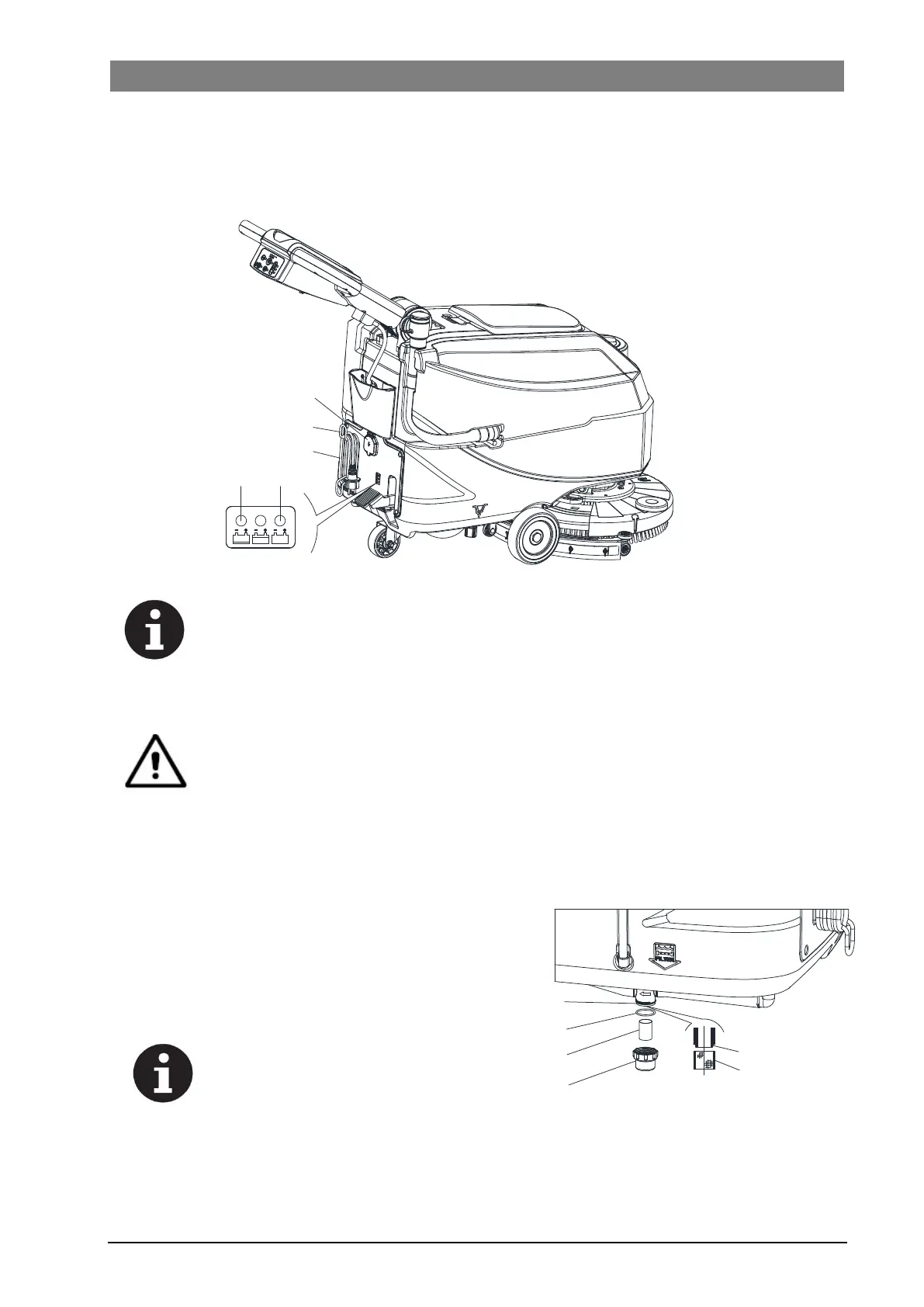
automatically cut off. If the red warning light (E) on the battery charger control panel stays on, the battery
charger is charging the batteries.
10. When the green warning light (D) turns on, the battery charging is completed.
11. When the battery charging is completed, disconnect the battery charger cable (C) from the electrical mains
(A) and wind it round its housing (B).
C
B
E
D
A
Figure 13
NOTE
For further information about the operation of the battery charger, see the relevant Manual.
BRUSH/PAD CLEANING
CAUTION!
It is advisable to use protective gloves when cleaning the brush/pad because there may be
sharp debris.
1. Remove the brush/pad from the machine, as shown in the Use chapter.
2. Clean and wash the brush/pad with water and detergent.
3. Check that the brushes/pads are in working condition and not excessively worn; if necessary replace them.
SOLUTION FILTER CLEANING
1. Pushing the machine on a level floor.
2. Ensure that the machine is off.
3. Emptying the solution tank (Advice).
4. Remove the cover (D, Figure14), then remove the filter
strainer (E). Clean and install them on the support (F).
NOTE
The filter strainer (E) must be correctly
positioned on the housing (H) of the
support (F).
H
E
D
E
G
F
Figure 14



 To Next Page