Example Jobs 147
© 2015 Vision Engraving Systems
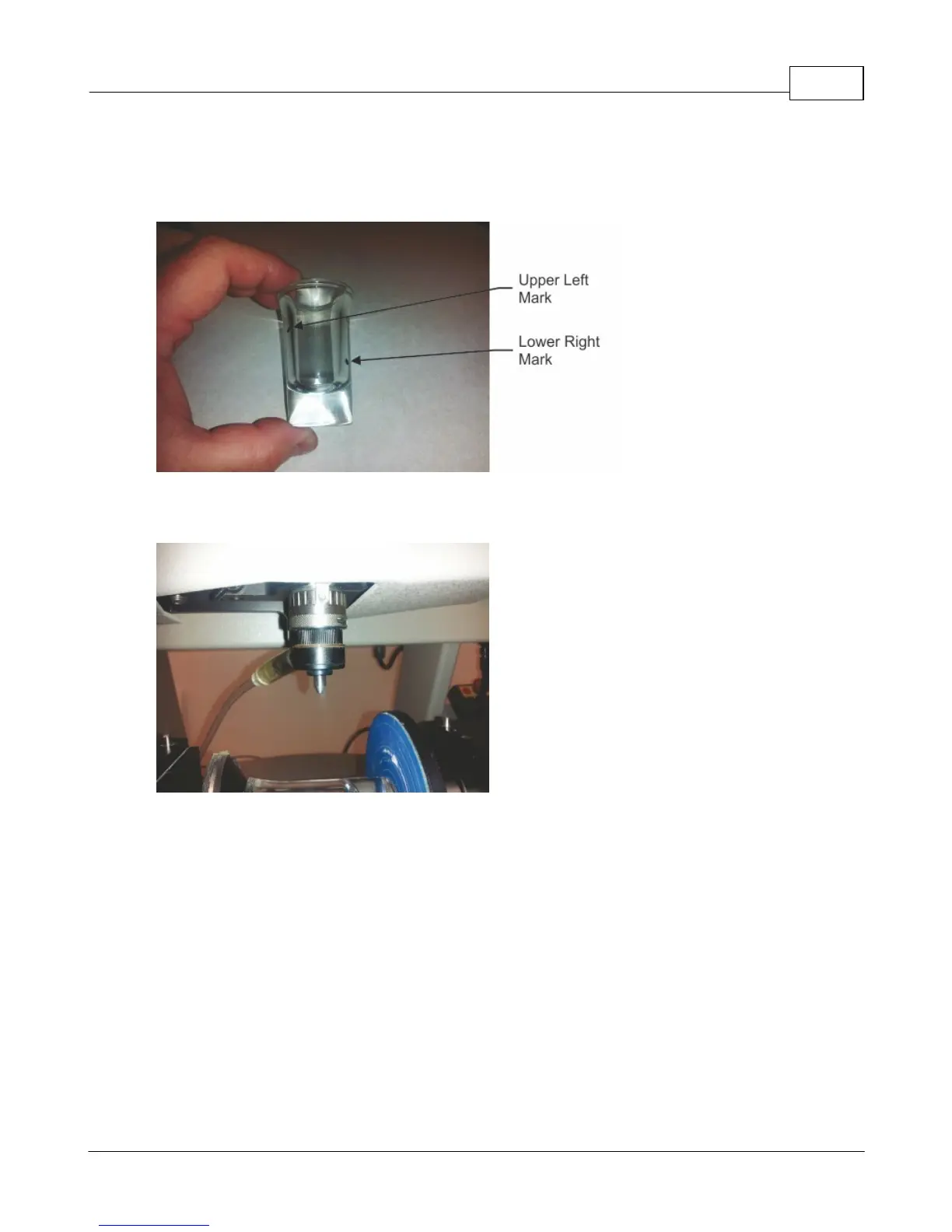
Before installing the shot glass in the rotary vise, measure the diameter of the glass in the center of the
area to be engraved. Also, using a marker, mark the upper left and lower right corners of the engraving
area (this will be used in a following step). In this example, the diameter was 1.44 inches and the marks
were put on the glass as shown.
Install the rotating diamond cutter with the burnishing adapter and make sure the tool tip extends
approximately 3/8 inch below the bottom of the nose cone as shown.



 To Next Page